
AI does not make local files obsolete. It makes them more valuable. Once an agent can read, edit, rename, or reorganize a document, the hard question is no longer whether the model can write. It is which state is authoritative, what changed, who allowed it, and whether a person can review or undo the result.
An ordinary file gives that work a concrete address, readable content, operating-system permissions, modification history, and a large ecosystem of tools. That makes the file system a practical coordination layer for people and AI, not a nostalgic alternative to the cloud.
Key takeaways
- A local file can serve as inspectable shared state for a person, an editor, Git, and multiple AI tools.
- Harness engineering matters more than another clever prompt. Context, tools, permissions, evidence, and review determine whether an agent's work is trustworthy.
- Plain files improve portability and offline access, but they do not solve backups, access control, conflicts, or safe writes by themselves.
- The right product pattern is local source of truth plus explicit services, not local-only dogma.
In this article
- Why AI increases the value of visible state
- What harness engineering changes
- Why the filesystem is a useful contract
- A practical Evidence and Review loop
- Where local files are not enough
- How Fylune applies the model
AI increases the cost of ambiguous state
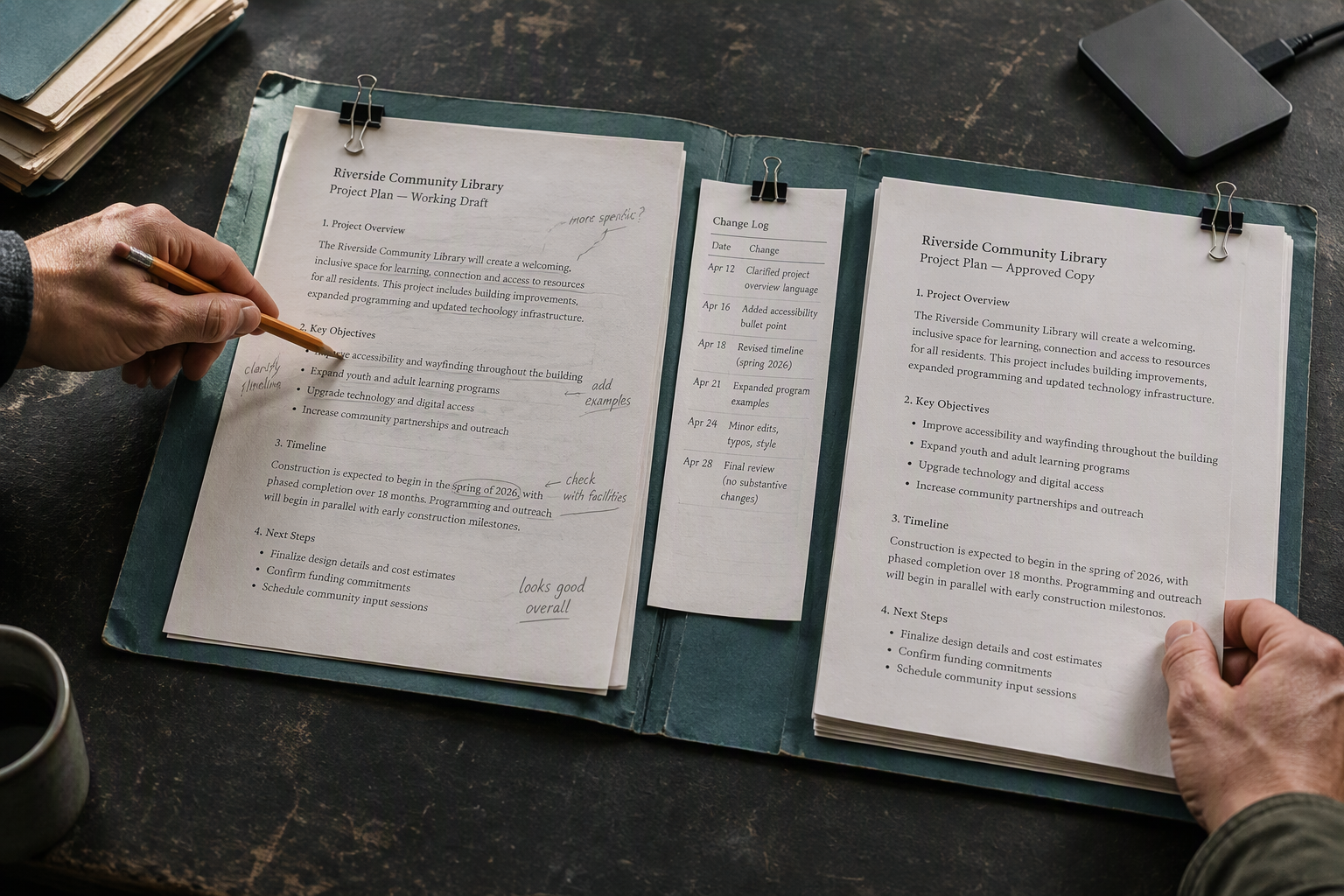
When one person edits one document, hidden application state can feel harmless. Add an AI agent and ambiguity becomes operational.
Which version did the agent read? Did the file change while the model was reasoning? Which tool renamed an image? Can another editor inspect the same source? If the result is wrong, what exactly should be restored?
Cloud software can answer those questions, but only when its data model, APIs, history, and export paths expose enough detail. A plain local file starts from the opposite direction. Its content is already visible to the operating system and to any tool with explicit permission to read it.
The original local-first software research from Ink & Switch argues for ownership, offline work, longevity, and user control while still leaving room for collaboration and cloud services. AI adds another reason: the source of truth must be legible to more than one application.
Local-first for AI work means the primary, editable state remains on the user's device in an open form, while agents and services operate on that state through explicit permissions and reviewable changes.
This definition is deliberately narrower than “everything runs locally.” A cloud model may still help with reasoning. Sync may still help across devices. The important boundary is that neither becomes the only doorway to the user's work.
Harness engineering starts outside the model
The recent harness engineering discussion gets one thing exactly right: reliable agent work is mostly a systems problem.
In OpenAI's account of building with Codex, the team describes shifting human effort toward environments, intent, constraints, and feedback loops. Repository-local knowledge became especially important because an agent cannot use decisions that remain hidden in a chat thread or in someone's head.
That lesson applies beyond code. A useful agent harness has at least six parts:
- Context: What the agent can discover about the task and the current state.
- Tools: The actions it can actually perform, with inputs and outputs it can understand.
- Authority: The difference between what is technically possible and what the user has approved.
- State: The durable objects being read or changed.
- Evidence: The diff, preview, test, or trace that shows what happened.
- Review: The human or automated decision to accept, revise, or roll back the result.
Protocols help make tools and context discoverable. The official Model Context Protocol architecture separates tools, resources, and prompts, and requires capabilities to be negotiated. That is useful plumbing. It still needs a source of truth beneath it.
The filesystem is unusually good at that job because it is already shared infrastructure. A document does not need a custom integration for every editor, terminal, backup tool, or version-control system. The applications may disagree about how to present it, but they can inspect the same bytes.
The filesystem becomes the contract
“The file is the contract” does not mean every agent should receive unrestricted disk access. It means that approved work resolves to concrete inputs and outputs that other tools can inspect.
| Question | Opaque application state | Ordinary local file |
|---|---|---|
| Where is the source? | Behind an application or API | A visible project path |
| Can another tool read it? | Only through supported integrations | Yes, with operating-system permission |
| Can changes be compared? | Depends on vendor history | With diffs, snapshots, or Git |
| Can work continue offline? | Depends on the application | The file remains available |
| Can the user leave? | Export may be required | The source already exists outside the app |
| Is safe collaboration automatic? | No | No |
That final row matters. Files are a clean substrate, not a complete collaboration system.
Git records changes to files over time, making earlier versions recoverable and changes comparable. Plain text formats make those comparisons especially useful. CommonMark also keeps the essential Markdown syntax readable without a proprietary renderer.
For non-technical users, the interface should hide the ceremony while preserving the property. They should not need to think in commits or hashes to benefit from snapshots, expected-content checks, and reversible changes.

A practical Evidence and Review loop
Our recent work on agent systems keeps returning to the same cycle:
Goal → Context → Action → Evidence → Review → Accept, revise, or stop
The useful distinction is between an action and a result. “The agent edited the document” is an action report. The result needs evidence: which file changed, what the previous content was, what the proposed content is, whether assets still resolve, and whether the person accepted it.
A document harness can implement this without turning the editor into a mission-control dashboard:
- Resolve the target. Identify the exact file and project root.
- Read with an expectation. Keep the content or a fingerprint that the edit was based on.
- Prepare the change. Generate a patch or next version without silently overwriting the source.
- Verify the boundary. Check that the current file still matches the expected input.
- Show useful evidence. Present the changed sections, broken references, and relevant validation.
- Write safely. Use a recoverable write path and preserve a snapshot.
- Review the outcome. Let the user accept, revise, or restore.
This is where a local file becomes more than storage. It gives every step a stable object to point at.
Anthropic's current guidance on trustworthy agents makes a similar product-level distinction between autonomy and meaningful human control. More agent capability creates more value, but it also makes permission boundaries and check-in points more important.
Observability also needs restraint. The OpenAI Agents SDK tracing guide shows how tool calls, handoffs, and guardrails can be traced, while warning that traces may contain sensitive input and output. For private documents, proof should be collected locally where possible, and document names, paths, and content should not leak into analytics.
What to encode in the harness
Prompt instructions are easy to add and easy to forget. Durable rules belong close to the boundary they protect.
| Requirement | Stronger owner than a prompt |
|---|---|
| Never overwrite a changed document | Expected-content check in the write API |
| Keep user files inside the chosen project | Path validation and scoped permissions |
| Preserve valid image references | Asset resolver plus document validation |
| Ask before destructive actions | Approval policy at the tool boundary |
| Make edits recoverable | Atomic write and local snapshot |
| Keep private content out of metrics | Analytics schema that rejects sensitive fields |
This is the practical heart of harness engineering. Hold the worker, permissions, task, and budget steady for an evaluation run. Find the earliest failed handoff. Make the smallest reversible improvement at the authority boundary. Then repeat the real task and compare outcome, proof, human intervention, latency, risk, and maintenance cost.
Better prompts can help. Better boundaries compound.
Where local files are not enough
Local files do not automatically make an AI workflow safe or private.
- A local file can still be sent to a remote model. Products must explain when content leaves the device.
- Disk access is powerful. Agents need scoped folders, clear permissions, and approval for destructive actions.
- Concurrent edits can conflict. A safe editor needs expected-content checks and a review path.
- Local storage is not a backup. Users still need snapshots, version control, or an explicit backup service.
- Binary assets need management. Images and videos require stable relative paths, copying rules, and missing-file recovery.
- Plain text has limits. Some rich collaboration models need structured metadata or conflict-free data types.
Local-first is a direction for ownership and system design. It is not a security certification, a backup strategy, or a reason to avoid useful cloud services.
How to evaluate an AI-ready document workspace
Try these questions before trusting a product with real work:
- Can I open the same document in Finder, Git, or another editor?
- Can I continue reading and editing without a network connection?
- Does the product show what an agent changed before replacing my current work?
- What happens if the file changes while an AI edit is being prepared?
- Can I recover a previous version without contacting support?
- Are image and video paths still valid outside the application?
- Can I use the useful core without creating an account?
- Does analytics exclude document content, file names, and paths?
If the answers are vague, the product may have AI features without an AI-safe foundation.
How Fylune applies this model
Fylune is a local-first Markdown and MDX workspace for macOS. It opens ordinary project folders, keeps the original files as the source of truth, and gives them a calmer visual editor. The core editing loop works offline and does not require an account.
It also handles the parts that plain Markdown leaves awkward: relative image paths, local image and video assets, Mermaid diagrams, mind maps, formulas, tables, and review when another tool changes the same document.

Start with the full feature overview, see what stays in the free core on the pricing page, or read how we are designing AI collaboration without a cockpit.
The product promise is simple: use better tools without turning your files into rented state.
Frequently asked questions
Does local-first mean the AI model runs on my Mac?
Not necessarily. Local-first describes where the primary editable state lives and whether the useful core works from the device outward. A product can use a remote model while keeping local files as the source of truth, but it should clearly disclose what content is sent and obtain the right permission.
Are local files safer than a cloud document?
They offer useful ownership and visibility, but “safer” depends on the whole system. A local file still needs device security, scoped access, backups, conflict handling, and careful control over remote AI calls. The advantage is that these boundaries can be inspected without depending entirely on one vendor's internal database.
Why use Markdown instead of a proprietary document format?
Markdown stays readable as plain text, works with many editors, and can be compared with standard version-control tools. It is a strong fit for durable project knowledge. It is not ideal for every kind of rich, real-time collaboration, so good tools should add visual editing and asset management without hiding the underlying file.
Sources
- Local-first software: You own your data, in spite of the cloud, Ink & Switch
- Harness engineering: leveraging Codex in an agent-first world, OpenAI
- Trustworthy agents in practice, Anthropic
- Architecture overview, Model Context Protocol
- About Version Control, Git
- Markdown Reference, CommonMark
- Tracing, OpenAI Agents SDK