
REG 102 Non-Operation Certification: Fill Online Free
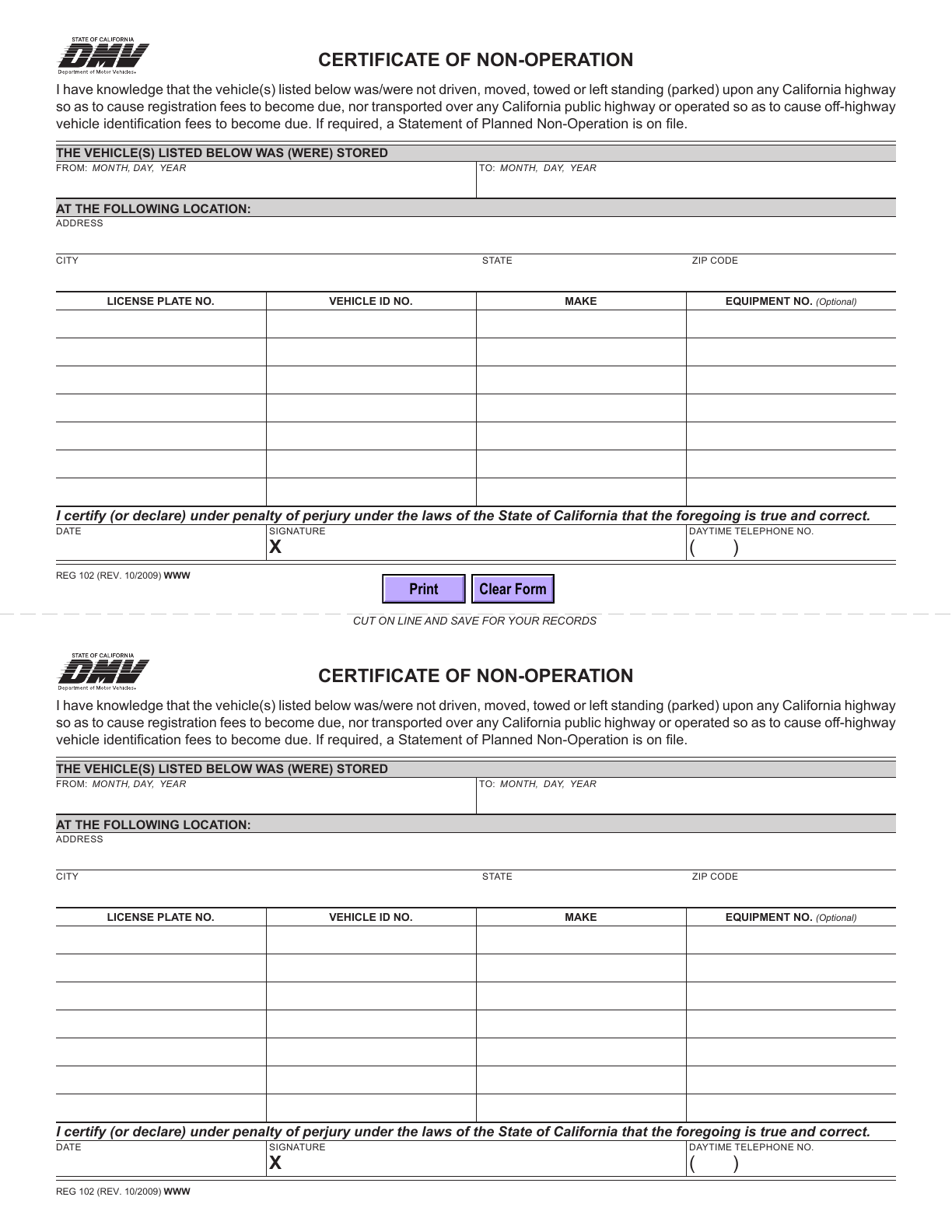
REG 102 contains two different certifications. Page 1 documents a past period of non-operation (CNO); page 2 declares planned future non-operation (PNO). Each page includes a matching records copy. Select the applicable certification before filling vehicle rows.
What is this form?
REG 102 contains two different certifications. Page 1 documents a past period of non-operation (CNO); page 2 declares planned future non-operation (PNO). Each page includes a matching records copy. Select the applicable certification before filling vehicle rows.
Who should use it?
Use the relevant page when DMV requires a factual certification of past non-operation or a planned non-operation declaration for your vehicle transaction. CNO asks for a storage period and location; PNO addresses future use.
When to use a different process
Not driving is not the only condition: the statements also address moving, towing or parking on California public highways. This PDF does not automatically establish PNO status or replace insurance-related non-use procedures. Do not certify a period in which the statement is untrue.
Current form status
- Current edition
- 2009-10-01
- Verified
- 2026-10-11
- Pages
- 2
How to fill REG 102 online
- 1
Confirm the right transaction
Use the relevant page when DMV requires a factual certification of past non-operation or a planned non-operation declaration for your vehicle transaction. CNO asks for a storage period and location; PNO addresses future use.
- 2
Prepare and fill the official PDF
Prepare plates, VINs, makes and optional equipment numbers. For CNO, provide actual start/end dates and storage address. For the selected page, prepare a signer-supplied date and daytime phone; verify any required filing or fees with DMV.
- 3
Review, sign and submit
Follow DMV instructions for the transaction requiring CNO or PNO. The PNO page prints a DMV mailing address and a late-filing warning; check current eligibility, timing and fees before mailing. Keep the detachable records copy.
Prepare the form with Faye
Faye starts with this question: Do you need to certify a past non-operation period, declare future planned non-operation, or are you unsure?
Answer in English, Spanish or Chinese. Faye maps confirmed facts to the editable fields of this English original as you answer. You can skip, correct or undo changes. Review all pages; signatures and any noneditable certification areas require the appropriate person.
Field guidance
CNO dates and location
CNO dates and location: use the actual stored-from and stored-to dates and complete storage address, not today or your current address by default.
Vehicle rows
Vehicle rows: page 1 has seven vehicle rows and page 2 has nine. Populate only the selected page; corresponding fields repeat in its records copy.
Certification and telephone
Certification and telephone: the two pages have separate date and phone fields. Review every repeated copy after export.
Information and documents to prepare
Prepare plates, VINs, makes and optional equipment numbers. For CNO, provide actual start/end dates and storage address. For the selected page, prepare a signer-supplied date and daytime phone; verify any required filing or fees with DMV.
Signatures and review
The person making the certification reviews the selected declaration and signs its signature line. The official records copy should match the submitted part. A date or typed name is not a signature, and Faye cannot verify the vehicle’s use history.
Where to submit the completed form
Follow DMV instructions for the transaction requiring CNO or PNO. The PNO page prints a DMV mailing address and a late-filing warning; check current eligibility, timing and fees before mailing. Keep the detachable records copy.
Common mistakes to avoid
Do not fill both pages automatically, put future plans into a past CNO period, omit storage location, treat towing or street parking as non-use, or let the records copy differ.
REG 102 questions
Are the two REG 102 pages duplicates?
No. CNO on page 1 concerns past non-operation; PNO on page 2 concerns future non-operation. The duplicate records copy is within each page.
Who must sign this form?
The person making the certification reviews the selected declaration and signs its signature line. The official records copy should match the submitted part. A date or typed name is not a signature, and Faye cannot verify the vehicle’s use history.
Does Fylune submit this form for me?
Follow DMV instructions for the transaction requiring CNO or PNO. The PNO page prints a DMV mailing address and a late-filing warning; check current eligibility, timing and fees before mailing. Keep the detachable records copy.
Form edition and verification history
Official revision: 2009-10. Month-based revision dates use the first day for catalog storage.
Verified the official blank PDF, page count and field mapping.
Independent preparation tool
Fylune is an independent document editor, not the issuing agency. Preparing or downloading a PDF does not sign, certify, file or obtain approval for it. Follow the issuing agency’s current instructions for your transaction.