
Texas VTR-271 Vehicle Power of Attorney: Fill Online Free
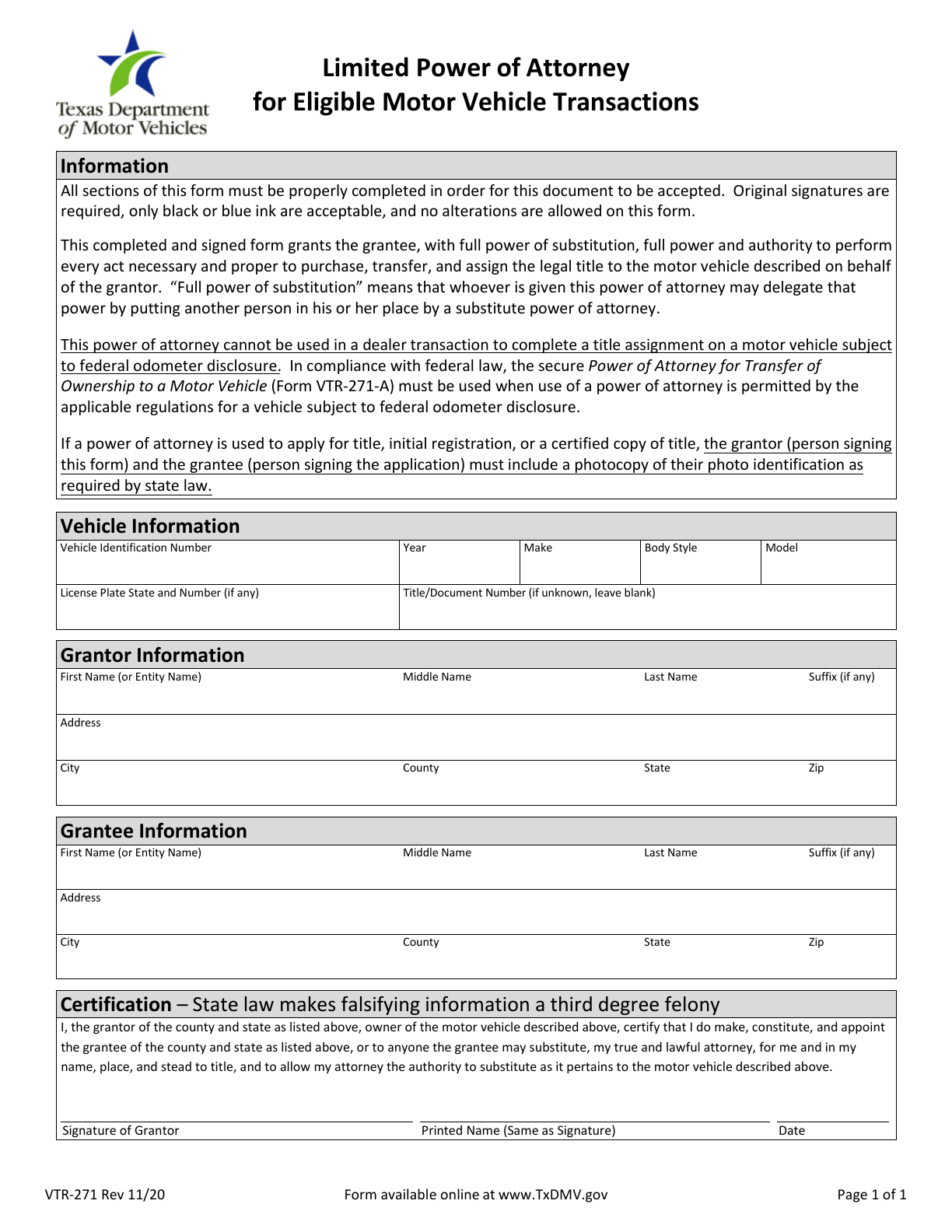
VTR-271 is the Texas Limited Power of Attorney for Eligible Motor Vehicle Transactions. The vehicle owner authorizes a grantee to act for the described vehicle. Prepare the vehicle, grantor and grantee details, then review the authority printed on the original.
What is this form?
VTR-271 is the Texas Limited Power of Attorney for Eligible Motor Vehicle Transactions. The vehicle owner authorizes a grantee to act for the described vehicle. Prepare the vehicle, grantor and grantee details, then review the authority printed on the original.
Who should use it?
An owner who needs another person to handle an eligible motor vehicle transaction may use this form after confirming it fits the transaction. Identify the owner as grantor and the authorized person as grantee.
When to use a different process
Do not use VTR-271 for a dealer title assignment involving a vehicle subject to federal odometer disclosure. Where permitted, the secure VTR-271-A is required for that situation. This is not a general financial power of attorney or a completed title application.
Current form status
- Current edition
- 2020-11-01
- Verified
- 2026-10-11
- Pages
- 1
How to fill VTR-271 online
- 1
Confirm the right transaction
An owner who needs another person to handle an eligible motor vehicle transaction may use this form after confirming it fits the transaction. Identify the owner as grantor and the authorized person as grantee.
- 2
Prepare and fill the official PDF
Prepare vehicle VIN, year, make, body style and model, any plate and title/document number, and both parties’ full names and addresses including county. For title, initial registration or a certified title copy, the original requires photocopies of both parties’ photo ID. Do not upload identity documents to Faye.
- 3
Review, sign and submit
Give the signed authorization and required supporting documents to the grantee for the relevant Texas title or registration transaction. Confirm the receiving county tax office or TxDMV procedure for that transaction. Saving this PDF does not file the application.
Prepare the form with Faye
Faye starts with this question: What vehicle transaction will the authorized person handle, and does it involve a dealer title assignment?
Answer in English, Spanish or Chinese. Faye maps confirmed facts to the editable fields of this English original as you answer. You can skip, correct or undo changes. Review all pages; signatures and any noneditable certification areas require the appropriate person.
Field guidance
Vehicle
Vehicle: copy the VIN and descriptive details from the vehicle records. Do not infer body style or fill an unknown title/document number.
Grantor and grantee
Grantor and grantee: keep their full names and street addresses separate; each city line includes county, state and ZIP.
Certification
Certification: print the grantor name and supplied signing date. The authorization includes substitution as described in the original; review that scope before signing.
Information and documents to prepare
Prepare vehicle VIN, year, make, body style and model, any plate and title/document number, and both parties’ full names and addresses including county. For title, initial registration or a certified title copy, the original requires photocopies of both parties’ photo ID. Do not upload identity documents to Faye.
Signatures and review
The grantor must review and provide an original signature in black or blue ink. The official form does not allow alterations. Its printed-name field is not the signature line; download, review and arrange the required original signature.
Where to submit the completed form
Give the signed authorization and required supporting documents to the grantee for the relevant Texas title or registration transaction. Confirm the receiving county tax office or TxDMV procedure for that transaction. Saving this PDF does not file the application.
Common mistakes to avoid
Do not swap grantor and grantee, omit the county from addresses, replace an original ink signature with a typed name, or use VTR-271 where secure VTR-271-A is required. Leave an unknown title/document number blank as the form instructs.
VTR-271 questions
Is VTR-271 the same as VTR-271-A?
No. VTR-271-A is a separate secure form used in the qualifying odometer-disclosure circumstances described in the official instructions. A downloaded VTR-271 does not replace it.
Who must sign this form?
The grantor must review and provide an original signature in black or blue ink. The official form does not allow alterations. Its printed-name field is not the signature line; download, review and arrange the required original signature.
Does Fylune submit this form for me?
Give the signed authorization and required supporting documents to the grantee for the relevant Texas title or registration transaction. Confirm the receiving county tax office or TxDMV procedure for that transaction. Saving this PDF does not file the application.
Form edition and verification history
Official revision: 2020-11. Month-based revision dates use the first day for catalog storage.
Verified the official blank PDF, page count and field mapping.
Independent preparation tool
Fylune is an independent document editor, not the issuing agency. Preparing or downloading a PDF does not sign, certify, file or obtain approval for it. Follow the issuing agency’s current instructions for your transaction.