
California Vehicle / Vessel Bill of Sale REG 135: Fill Online Free
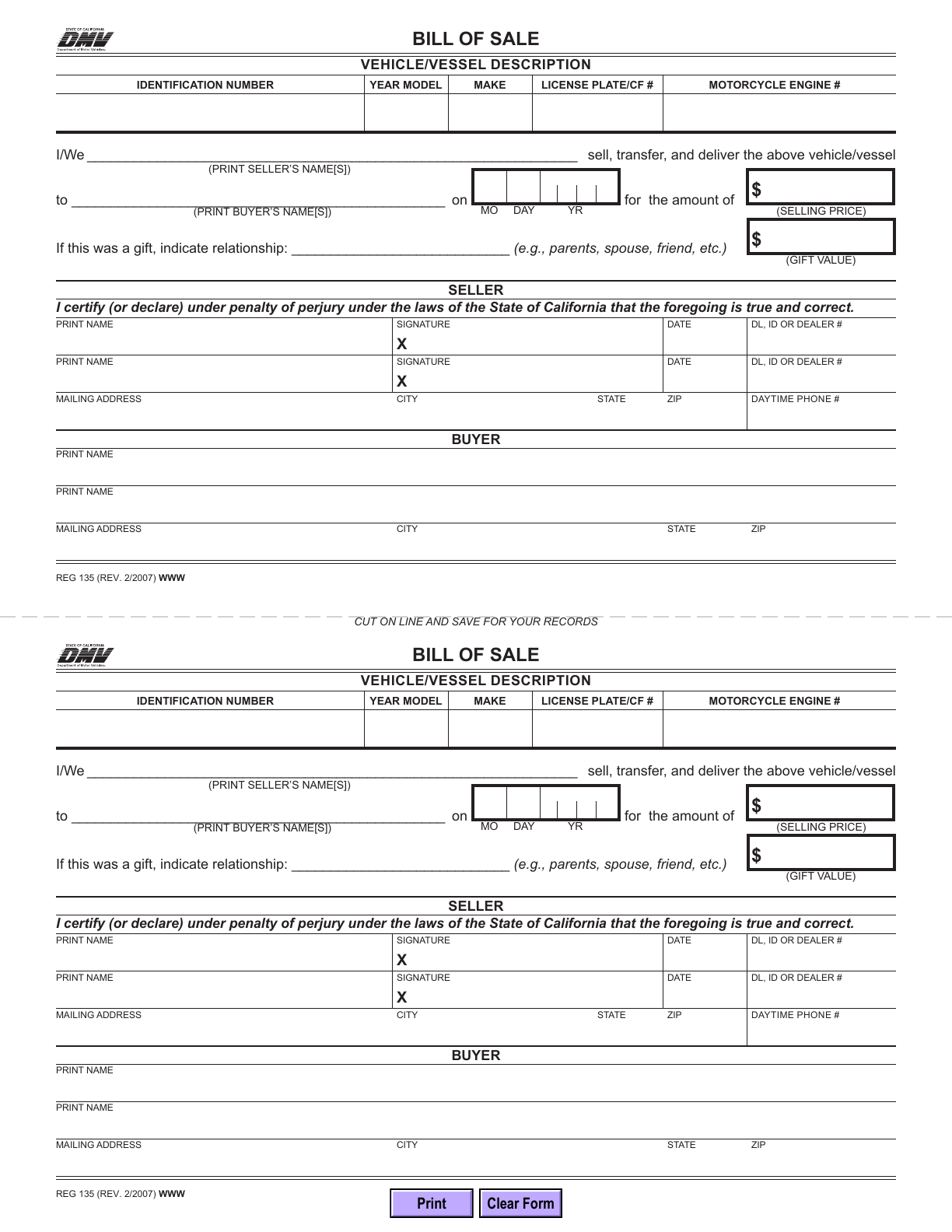
REG 135 is California DMV’s vehicle and vessel Bill of Sale. Enter the sale or gift details and the seller and buyer information in the official PDF, then download a copy to review, sign and keep with your transaction records.
What is the California REG 135 Bill of Sale?
REG 135 records a vehicle or vessel sale or gift. The PDF includes a second copy below a cut line for your records. A bill of sale helps document the chain of ownership; it is not a replacement certificate of title.
Who should use REG 135?
Use it when your California vehicle or vessel transaction needs a bill of sale. It provides spaces for the transfer details and both parties’ information. Check your DMV checklist rather than assuming every transfer has identical requirements.
What does this form not replace?
It is not a general bill of sale for unrelated property, a title application or a release-of-liability notice. It has no odometer disclosure section. Check whether your transaction requires the separate secure REG 262 form; DMV does not provide REG 262 as an online downloadable original.
Current form status
- Current edition
- 2007-02-01
- Verified
- 2026-09-13
- Pages
- 1
How to fill REG 135 online
- 1
Gather accurate transaction information
Use the vehicle records and the parties’ agreed sale or gift details. Do not substitute example names or guessed identifiers for real transaction information.
- 2
Fill and inspect the two copies
Enter the fields in the official PDF. Your entries appear in both copies; check the main copy and the records copy after editing.
- 3
Download and obtain signatures
Review the PDF outside the editor, complete the applicable signatures and retain a copy with your transaction paperwork.
Fill REG 135 with Faye
Faye asks about the sale or gift, vehicle or vessel, parties, transaction details and contact information. Supplied answers fill both matching copies after each reply, with corrections and undo. Faye does not invent transaction facts, assess taxes, sign for either party or transfer title.
Field guidance
Vehicle or vessel description
Check identification number, model year, make, plate/CF number and any applicable motorcycle engine number against the vehicle records.
Transaction date and amount
Use the sale date, not a later download date. The year is split into four single-digit fields. Record the selling price or applicable gift information accurately.
Gift relationship and value
When the transfer is a gift, fill the relationship and value fields. Recording a gift here does not itself determine tax treatment.
Seller and buyer details
Complete the relevant printed names and addresses. Seller rows also include date and driver license, ID or dealer number. The signature lines remain separate.
Records copy
Inspect the lower half before printing. Both copies should describe the same transaction; check duplicated entries and ensure text is not clipped.
What should you have ready?
- Vehicle or vessel records showing the correct identifiers
- The parties’ names, contact information and actual transfer details
- The title and any other documentation required by DMV for this particular transaction
Does REG 135 need notarization?
DMV’s bill-of-sale guidance says a bill of sale does not require notarization or a witness. REG 135 has seller signature lines with a penalty-of-perjury declaration. Typed printed names are not signatures. For paper use, download and complete the signatures; ask DMV about electronic-signature acceptance for another submission route.
What happens after the bill of sale is signed?
Keep the records copy and use the signed bill of sale with the DMV transaction documents when required. Follow DMV’s transfer checklist for the title, other forms, fees and submission method. Downloading this PDF does not complete a transfer or file the seller’s release of liability.
Common bill of sale mistakes
- Entering an incorrect VIN/HIN or mixing the parties’ names
- Putting the whole year into a single year-digit field
- Confusing sale price with gift value
- Leaving seller signatures unfinished
- Checking only one copy or assuming the bill of sale alone completes the title transfer
REG 135 questions
Can I fill a California bill of sale online free?
Yes. Fill REG 135 manually without sign-in. DMV’s blank original is also free.
Why are there two bills of sale on one page?
The official PDF includes a matching records copy below the cut line. Review both copies before printing and signing.
Is this form for both vehicles and vessels?
Yes. REG 135 is the California DMV vehicle/vessel Bill of Sale. Use the identifiers appropriate to the property being transferred.
Does downloading REG 135 transfer the title?
No. This page prepares the PDF only. Complete the applicable signatures and DMV transaction requirements separately.
Form edition and verification history
Official REG 135 revision month printed on the PDF. DMV does not specify a revision day.
Official source, duplicate-copy layout, shared fields and blank preview verified. PDF retained unchanged with a SHA-256 fingerprint.
Not a government service
Fylune is independent of California DMV and is not government-endorsed. This page is editing guidance, not legal or tax advice. Consult the official instructions for your transaction; Fylune cannot guarantee DMV acceptance or resolve ownership disputes.