
MC-025 Attachment to Judicial Council Form: Fill Online Free
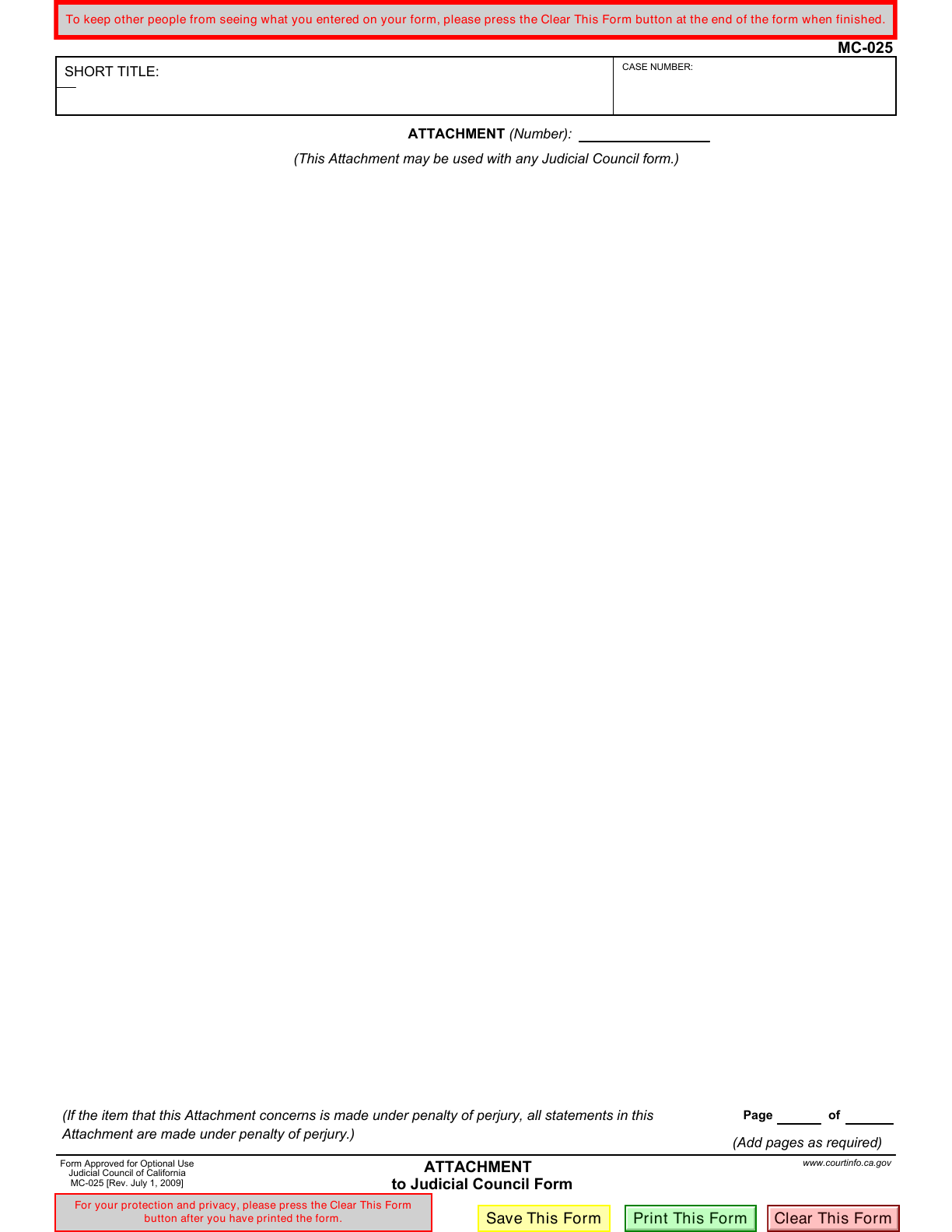
MC-025 gives you extra space to answer an item on a California Judicial Council form. Enter your case title, case number, attachment number and continuation text in the official blank PDF, then include the reviewed attachment with the main form.
What is MC-025?
MC-025 is the optional Attachment to Judicial Council Form. It supplies continuation space when an answer does not fit on the main California court form. It is an attachment, not a standalone filing.
Who should use this attachment?
Use MC-025 when you need more room on a Judicial Council form and the instructions for that form allow a general attachment. Start from the question you are continuing so the extra text can be matched to it.
When is MC-025 not the right choice?
Do not file this sheet by itself or use it instead of a required petition, response or dedicated attachment. If the main form directs you to a particular continuation form, follow that instruction. Check MC-031 when the task specifically calls for an attached declaration.
Current form status
- Current edition
- 2009-07-01
- Verified
- 2026-09-13
- Pages
- 1
How to fill MC-025 online
- 1
Identify the answer being continued
Keep the main form beside you. Note its form number and the item or attachment reference before writing.
- 2
Enter the case and attachment details
Copy the short title and case number from the same case papers. Make the attachment reference easy to connect to the main form.
- 3
Write the continuation
Enter the additional answer in the large text area. Keep the text relevant to the referenced item and inspect its fit at a readable zoom level.
- 4
Review the complete packet
Check page numbering and all attachment references after assembling your papers. Download and inspect your copy before following the main form's signing, filing and service instructions.
Fill MC-025 with Faye
Faye asks about the main form and attachment item, case details, your continuation text and page numbering. Supplied answers fill the existing PDF fields after each reply; you can correct them or undo an AI fill. Faye does not invent case facts, choose legal arguments, add pages or file your packet.
Field guidance
Short title
Use the abbreviated case title used on the main form. Do not substitute the name of this attachment for the case title.
Case number
Copy the case number carefully, including any letters or separators. Check that all papers refer to the same case.
Attachment number
Use the reference that identifies this continuation in the main form. An attachment reference and a page number serve different purposes.
Attachment text
Continue the relevant answer clearly. A long field can hold more text than fits visibly on the page: inspect the downloaded PDF and prepare additional permitted pages if needed. This editor does not automatically add continuation pages.
Page and total pages
Complete the two page-number fields consistently with the assembled packet and the main form's instructions. Recheck these after adding or removing sheets.
Prepare the main form and case references
MC-025 does not establish a separate universal evidence checklist. Follow the document requirements for the form it accompanies.
- The Judicial Council form whose answer needs more space
- Case papers with the short title and case number
- The item number and any attachment instructions on the main form
- The additional answer and any supporting material required for that particular item
Signing follows the main document
MC-025 has no separate signature or notary section. Its printed notice extends a penalty-of-perjury declaration to the attachment when the item it continues is made under that declaration. Review the main document's signing requirements; typing the attachment text does not sign that document.
Submit with the form it supports
Attach MC-025 to the main form or court paper. Confirm that court's accepted submission method and any service requirements for the complete packet. Fylune does not combine, file or serve your court papers, calculate deadlines or confirm acceptance.
Check the attachment before using it
- Leaving the reader unable to identify which answer continues on this page
- Copying a case number from a different document
- Confusing the attachment reference with its page number
- Allowing text to overflow the visible field
- Assuming MC-025 supplies a missing signature on the main form
- Downloading the attachment but omitting it from the filing packet
MC-025 questions
Can I fill MC-025 online free?
Yes. Manual filling does not require sign-in. The official blank form is free from California Courts.
Can I file MC-025 alone?
No. California Courts describes MC-025 as an attachment that accompanies another form or court paper.
What goes in Attachment (Number)?
Identify the continuation so it matches the reference in the main form. Follow that form's instructions and keep the attachment reference distinct from the page number.
Does MC-025 need its own signature?
The official sheet does not have a separate signature line. Check the main form's signature requirements and the penalty-of-perjury notice printed on MC-025.
Will the editor add another page for a long answer?
No. This template opens the official one-page PDF. Review text fit and prepare additional allowed attachment pages separately; downloading does not assemble the complete court packet.
Form edition and verification history
Official revision printed on MC-025 and the effective date listed by California Courts.
Official listing, PDF fields and fingerprint verified. This records a Fylune check, not a new court revision.
Independent form-filling tool
Fylune is not California Courts or a government agency and is not endorsed by the Judicial Council. This page offers editing guidance, not legal advice. Use the official instructions for your main form and court when deciding what to write and submit.