

REG 256, the California DMV Statement of Facts, is a supporting form for several different vehicle and vessel transactions. It has eight lettered sections (A through H), and almost every transaction needs only one or two of them plus the signature section. The instruction printed at the top of the form says exactly that: "Complete the appropriate section(s) in full (including vehicle description) and sign Section H."
That instruction creates the mistake this article is about. People download REG 256 for a name correction, see sections about use tax and smog, and fill those in too, or they pick a gift exemption on Section A because it sounds relevant without checking whether their transaction actually qualifies. Filling an unrelated section creates a declaration you are signing under penalty of perjury, so the safe approach is to identify your situation first, complete only the matching sections, and leave the rest blank.
This guide covers who fills out REG 256, what each section is for, how to complete the vehicle description, and a worked example of a name correction. If you want to prepare the PDF with guided questions first, the Fylune REG 256 tool fills the official form and exports it for you to sign.

What REG 256 is used for
REG 256 is not an application on its own. The DMV describes it as a Statement of Facts, a supporting statement that attaches to a transaction to declare something the DMV needs in writing: why a transfer is exempt from use tax, why a smog certification is not required, that a vehicle has not been used on California roads, what changed on a vehicle's body, how a name is misspelled, or any other facts the DMV asked you to explain.
Because one form serves many jobs, the DMV prints a different statement in each section, and each statement carries its own conditions. The form itself is two pages, both pages repeat the vehicle description header, and only page 2 carries Sections E through H and the signature block. Reading only page 1 is a common way to miss what you are signing.
The current edition printed on the official REG 256 PDF is REV. 8/2008. The printed text controls what you declare, but printed options are not the same as eligibility: the DMV's current transaction instructions decide whether your situation actually qualifies. Fylune's tool page notes the same boundary: do not select an exemption simply because it appears on the older printed edition.
Complete the applicable sections in full, and sign Section H
Whatever your transaction, three things stay constant:
- The vehicle or vessel description at the top of the form, on both pages.
- The section(s) that match your transaction, completed in full, including any value, date, or explanation fields inside that section.
- Section H, the Applicant's Signature, which every REG 256 needs, because it is where you certify the statement under penalty of perjury.
Before you claim any exemption, read the current checklist for your transaction on the DMV's site, not just the form. For example, the DMV's title transfer and name change pages list the documents and submission steps for each situation, and those requirements go beyond what the printed form asks. A section of REG 256 supports the transaction; it rarely is the whole transaction.
The vehicle/vessel description
The header fields appear at the top of both pages:
| Field | What to enter |
|---|---|
| LICENSE PLATE/CF NUMBER | Your license plate number, or the CF number for a vessel |
| VEHICLE/VESSEL ID NUMBER | The VIN for a vehicle, or the hull identification number (HIN) for a vessel |
| YEAR/MAKE | The year and make as printed on your registration or title records |
Match these to your registration card, title, or vessel records rather than memory, and check the repeated header on page 2 after filling page 1 so the two pages agree.
Which section fits your situation: a complete A-H reference
Use this table to find your transaction, then read the matching section below. Every row still ends with Section H.
| Your situation | Section(s) to complete | Key condition to check |
|---|---|---|
| Transfer claiming a use-tax exemption (family transfer, gift, inheritance, court order) | A, H | The current conditions for that reason, and the printed note about relatives in the vehicle business |
| Transfer where no smog certification is required | B, H | The specific reason you select; these rules are separate from Section A |
| Vehicle not used on California roads; transfer-only or title-only request | C, H | The printed non-use declaration is true for your vehicle |
| Window decal for a wheelchair lift or carrier | D, H | You hold a qualifying disabled person or disabled veteran plate or placard |
| Statement for a vehicle body change | E, H | Ownership certificate required; weighmaster certificate for weight changes |
| Name correction or name change | F, H | Ownership certificate required |
| Facts the DMV asked you to explain | G, H | Facts you can support; not an exemption by itself |
Section A: Statement for Use Tax Exemption
Section A opens with "This transfer is exempt from use tax because it is a:" and lists these reasons: a family transfer sold between a parent, child, grandparent, grandchild, spouse, domestic partner, or siblings (if both are minors related by blood or adoption); an addition or deletion of a family member; a gift (which does not include vehicles traded between individuals or transfers involving other valuable consideration); a court order; or an inheritance. You also state the current market value.
Two limits matter. First, the printed note says the exemption cannot be claimed if the vehicle was purchased from an otherwise qualifying relative who is engaged in the business of selling the same type of vehicle or vessel. Second, picking "gift" or naming a family relationship on the form does not by itself complete the transfer: the DMV's transaction instructions still govern the documents, fees, and steps. Check the current use-tax rules for your situation before you declare the exemption.
Section B: Statement for Smog Exemption
Section B is a separate question: "The vehicle does not require a smog certification for transfer of ownership because:" You select the reason that applies, such as a smog certification obtained within the last 90 days, the vehicle being powered by electricity or diesel, the vehicle being located outside California (Nevada and Mexico are exceptions), or the transfer being between specific relationships, such as close family members, a sole proprietorship and its proprietor, or certain lessor and lessee situations. The asterisked relationship options carry their own printed note: they do not require a smog certification unless Biennial Smog is required.
A use-tax exemption in Section A does not establish a smog exemption in Section B, and the reverse is also true. Treat them as two independent checks.
Section C: Statement for Transfer Only or Title Only
Section C is a non-use declaration. You state the vehicle has not been used or parked on a street or highway or off-highway, choose Transfer Only or Title Only, and confirm the vehicle is not currently registered and has not been driven, moved, towed, or left standing on any California public highway in a way that makes registration fees due. The printed declaration also promises that registration will be obtained before the vehicle is operated. Only complete this section if every part of that statement is true for your vehicle.
Section D: Window Decal for Wheelchair Lift or Wheelchair Carrier
Section D serves a different job from the rest of the form: requesting the window decal for a wheelchair lift or wheelchair carrier. You enter the number of your Disabled Person License Plate, Disabled Veteran License Plate, or Permanent Disabled Person Parking Placard by checking the matching field, describe the vehicle the decal will be affixed to (license number, vehicle make, vehicle ID number), and complete the Mail To block with your name, address, city, state, and ZIP code. If this is your transaction, you need a qualifying disability credential number; if it is not, leave this section blank.
Section E: Statement for Vehicle Body Change (Ownership Certificate Required)
Section E's heading includes its own requirement: an ownership certificate is required. You report the current market value of the vehicle or vessel, the cost of the changes and the date they were made, and then check all that apply among four change types: unladen weight (changed because of a stated reason, with a Public Weighmaster Certificate required, with an exception for trailers), motive power, body type, and number of axles, each with from and to values. Complete only the change types that actually happened, and keep the ownership-certificate requirement in mind when assembling your documents.
Section F: Name Statement (Ownership Certificate Required)
Section F also requires the ownership certificate, and it offers three printed statements; use the one that fits:
- "I, __ and __ are one and the same person" for identity questions.
- "My name is misspelled. Please correct it to:" for a spelling correction.
- "I am changing my name from __ to __" for a legal name change.
The DMV's name and registration update instructions show how Section F is used in practice: if you have the title, you write or type the correct or changed name directly on the title above the name to be updated, then complete Section F and sign the bottom of the form. One printed warning from that page is worth knowing before you file: a hyphenated or multiple-word last name appears as one word on the California Certificate of Title and registration card, and that is not an error that needs correcting.
Section G: Statement of Facts
Section G gives you open space: "I, the undersigned, state:" Use it to explain the specific facts the DMV asked you to clarify, in plain language, with dates and details you can support. Section G is not a substitute for the exemption sections: a narrative in Section G does not establish a use-tax or smog exemption, and it does not complete a different transaction that has its own section.
Section H: Applicant's Signature
Section H is where you read and sign the certification: "I certify (or declare) under penalty of perjury under the laws of the State of California that the foregoing is true and correct." The block asks for your printed last name, first name, middle name, and daytime phone number, plus your signature and the date. The printed name and the signature are separate items; typing your name does not sign the form. Review everything above your signature before you sign it, because Section H covers the whole statement.
Leave the unrelated sections blank, and check whether another form is required
Leaving non-applicable sections blank is the correct behavior, not an incomplete form. Two habits prevent the common errors:
- Do not fill sections that describe other situations. An unselected section is a blank you never certified. A filled section is a declaration.
- Check whether your transaction needs a different form entirely. REG 256 supports a transaction; other DMV forms do other jobs:
| Form | Official purpose | Where to get it |
|---|---|---|
| REG 256 | Statement of Facts supporting exemptions, non-use, decals, body changes, name statements, and other facts | Fylune REG 256 tool |
| REG 227 | Application for Replacement or Transfer of Title, used when the title is missing and in some name-change situations | Official DMV forms listing |
| REG 156 | Application for Replacement Plates, Stickers, Documents | Fylune REG 156 tool |
| REG 101 | Statement to Record Ownership / Statement of Error or Erasure, for title-line ownership and error statements | Fylune REG 101 tool |
| REG 135 | California Vehicle/Vessel Bill of Sale | Fylune REG 135 tool |
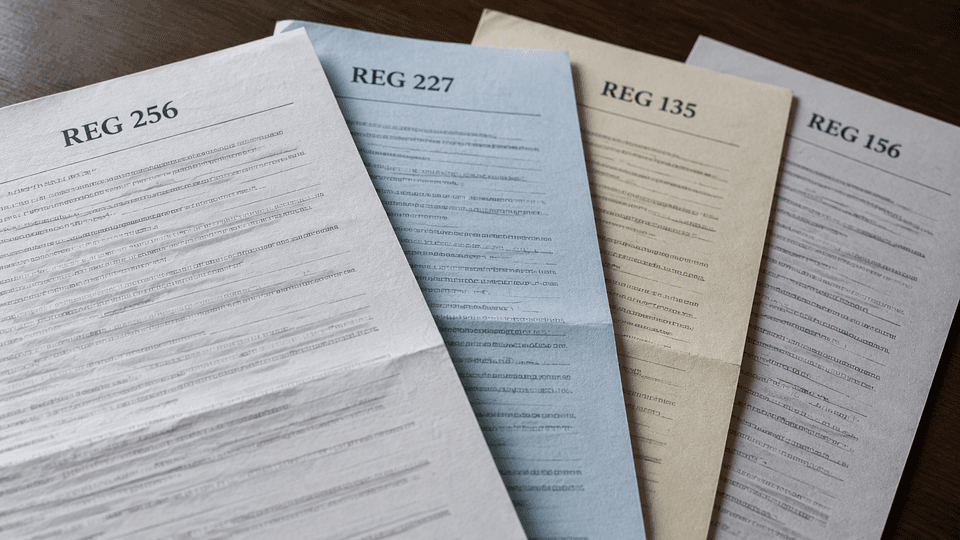
If your problem is really a missing title, a lost registration card, or a sale that needs a bill of sale, the matching form above does that job, and REG 256 only adds the fact statement.
A worked example: correcting a misspelled name
All names and identifiers below are fictional example values, not a real filing.
Situation: Your California Certificate of Title spells your name "Danna M. Rayes." Your legal name is Dana M. Reyes, and this is a spelling correction, not a legal name change. You have the paper title.
Sections this transaction needs: the vehicle description header, Section F, and Section H. Everything else stays blank.
- Vehicle description (both pages). License plate/CF number: 8XYZ901. Vehicle/vessel ID number: 3VWFE21C04M000000. Year/make: 2019 Volkswagen. Match your own records here, not the example values.
- Section F. Select the printed line "My name is misspelled. Please correct it to:" and write "Dana M. Reyes." You do not use the "one and the same person" line or the "changing my name from" line, because this is a correction of a misspelling. Remember the printed heading: this section requires the ownership certificate, which in this example is your paper title.
- Supporting documents. Following the DMV's current name-update instructions: write or type the correct name directly on the title, above the name being updated, and complete Section F with your signature at the bottom of the form.
- Review and sign Section H. Printed last name: Reyes. First name: Dana. Middle name: M. Daytime phone: your number. Check the vehicle header on both pages, confirm the unrelated sections are still blank, then sign and date. The certification covers everything above your signature.
- Delivery. With the title in hand, the DMV's instructions let you take the title and completed REG 256 to a DMV office or mail them to DMV Vehicle Registration Operations, PO Box 942869, Sacramento, CA 94269-0001. If the title were instead held by a lienholder, you would give the completed and signed REG 256 to the lienholder to submit with the title. If you did not have the title at all, the transaction would also need REG 227, proof of ownership, and the duplicate-title fee, and a name change (rather than a correction) must be submitted in person with identification.
Notice what this example does not do: it does not add Section A or B "just in case," and it does not treat a narrative as a substitute for the section that matches the job.
Fill and export REG 256 with Fylune
If you would rather answer questions than map fields by hand, the Fylune REG 256 tool prepares the official two-page PDF for you:
- Faye, the fill assistant, asks which sections you need and helps you enter the vehicle details, your facts, and your applicant information. Faye does not decide tax or smog exemptions.
- Enter your information and review both pages, including the repeated header on page 2 and the declaration in Section H.
- Download the PDF, add your own signature in the format your submission route requires, and assemble the documents for your transaction.
Two boundaries to keep in mind: Fylune prepares the PDF and does not submit anything to the DMV, sign on your behalf, or determine whether you qualify for an exemption, and free downloads include a watermark. You complete the signing and the DMV submission requirements yourself.
FAQ
Which applicant signs REG 256 for my transaction? The applicant making the statement signs Section H: the person whose name is corrected or changed on a name statement, the person declaring the facts in Sections A through G, or the person requesting the Section D decal. The block needs a printed name, daytime phone number, signature, and date. Follow the current instructions for your specific transaction about any other signatures it requires elsewhere.
Why are the use-tax and smog questions separate sections? They answer two different rules. Section A declares why a transfer is exempt from use tax; Section B declares why the vehicle does not need a smog certification for transfer of ownership. Each section has its own list of reasons, exceptions, and printed notes, so a family relationship that supports one answer does not automatically support the other.
What should I do before correcting a mistaken checkbox? Clear the wrong selection in the PDF itself and re-export, rather than striking through it by hand, then recheck the section against the current DMV instructions for your transaction, confirm the vehicle description on both pages, and review Section H before signing. If a form with the wrong selection has already been submitted to the DMV, contact the DMV about correcting the record instead of filing a conflicting statement on your own.
Prepare your REG 256 in minutes: fill REG 256 with Fylune. Fylune is not affiliated with the California DMV and does not submit forms for you.
Sources
- Statement of Facts REG 256 (official PDF) - section titles, fields, conditions, certification, and printed edition checked for this article
- Updating information on your registration (California DMV) - Section F usage, title handling, ID requirements, and submission routes
- Title transfers and changes (California DMV) - transaction requirements beyond the printed form
- California DMV forms catalog - REG 227 reference
This article provides general form-filling guidance only. It is not legal or tax advice, and the DMV's current instructions and determinations take priority over anything printed on the form or written here.