

Choose PdfCraft when your main job is working on existing PDFs offline: organizing pages, combining files, adding comments, or using a scriptable PDF tool. Choose Fylune when you want a document editor with ready-to-fill US government form templates and AI assistance on supported forms, alongside PDF and Markdown editing.
Both can help with PDF forms. The useful distinction is how you start the task, what help you need while filling, and where the document is stored.
This comparison covers the open-source storytold/pdfcraft project. Other products use similar names. It is published by Fylune and compares official documentation and current Fylune product information checked on October 21, 2026. It is not a hands-on performance benchmark.
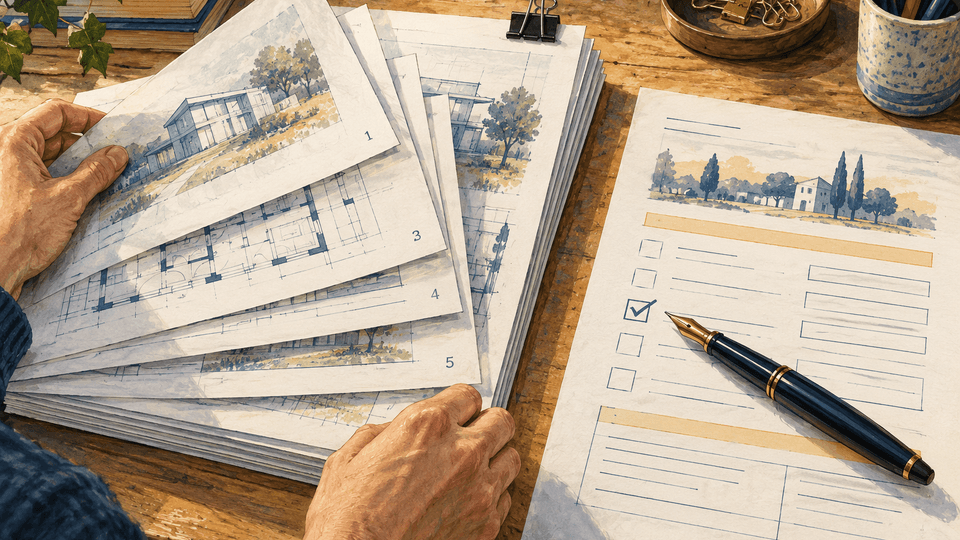
Two document tasks: arrange a PDF packet, or complete a form. Conceptual illustration.
PdfCraft vs Fylune at a glance
| Your question | PdfCraft | Fylune |
|---|---|---|
| What is the product centered on? | An open-source PDF workbench | A document editor with PDF, Markdown, templates, and supported AI-assisted filling |
| Can I work on a form? | Yes. The project documents interactive form filling | Yes. Open a supported PDF or start with a published form template |
| How do I start a government form? | Bring the PDF you want to work on | Open a template such as REG 256, W-9, or MC-030 with its related guidance |
| What does AI integration mean? | Optional CLI/MCP integration for external agents | In-editor assistance using your supplied facts on supported forms |
| Where does the file go? | The project describes local processing without a required cloud account | Web edits save to account-owned cloud storage; desktop files follow a separate local-file policy |
| What should I check about price? | The project is free and open source | Core editing is free; free PDF exports have a watermark, with paid clean-export and AI options |
Sources: PdfCraft documentation, Fylune product capabilities, and Fylune pricing. The sections below explain the limits behind the comparison.
When PdfCraft is the better fit
A PDF editor can mean a tool for managing a file that is already finished. You might need to remove duplicate pages from a packet, combine attachments, rotate a scan, or add comments without changing the original wording.
PdfCraft's documentation covers those tasks, including page organization, merging and splitting, annotations, and password protection. Its download documentation lists desktop builds for macOS, Windows, Linux, and FreeBSD, plus a web build. Start with the project's own download links and release notes, rather than assuming every similarly named website is the official project.
PdfCraft also documents an optional MCP server and command-line tools for inspecting and manipulating PDFs, including filling fields. That matters if you already have an agent workflow and want a PDF engine it can call. It would be inaccurate to describe PdfCraft as having no AI integration. Source: PdfCraft's agent interface.
Its authors describe the product as alpha and list remaining gaps in existing-text editing, Office conversion, and some advanced workflows. Those are the project's own assessments, not results from tests performed for this article. Use a copy of an important file and check the saved result before replacing the original. Source: project readiness assessment.
When Fylune is the better fit
If your starting question is “How do I complete this form?”, finding the right PDF is only the first step. You still need to understand the fields, enter your information, review it, and create a usable copy.
Fylune connects those steps through its published templates and shared editor. For example:
- REG 256 Statement of Facts provides the California DMV template and guidance about the form's sections.
- IRS Form W-9 provides a starting point for taxpayer identification and certification paperwork.
- MC-030 Declaration opens the California court declaration template.
On supported forms, AI assistance uses information you supply to help fill the document. You remain responsible for checking the answers. Fylune does not determine eligibility, invent missing personal details, sign on your behalf, or submit the form to an agency.
That is the reason to consider Fylune as a PdfCraft alternative for a form-completion task. You get the form entry point and related help in the same product as the editor. It is not a claim that Fylune replaces every PDF utility in PdfCraft.
Markdown is another Fylune feature. It is useful when your work also includes notes, instructions, or supporting documents, but you do not need to use Markdown to fill a PDF. Explore the document editor.
Be specific about what “edit a PDF” means
Filling a blank field, adding a text annotation, and changing a paragraph already printed in a PDF are different operations.
Fylune supports form fields, supported text annotations, and user-added visible signatures. It does not promise Word-style reflow of the original PDF layout. If your task is to rewrite an existing brochure or replace a paragraph, do not assume a form-filling editor can do that simply because both tasks involve a PDF. Fylune's editing boundaries.
PdfCraft documents editing existing text, including the handling of embedded fonts and mixed styles. Its documentation also describes font and layout limitations. Check the installed release and a representative file before depending on the feature for a complex document. PdfCraft existing-text editing documentation.
For either product, reopen the exported file in another PDF viewer. Check the pages you changed, text fit, checkbox states, and any signature you added. A successful save is not the same as a correct finished document.
Privacy: local files and browser convenience have different tradeoffs
PdfCraft describes its core workflow as local, with no required account or cloud processing. Connecting an external AI agent introduces that agent's own configuration and data-handling choices; the PDF application's local design does not establish the privacy policy of the connected model provider. PdfCraft's documented architecture.
Fylune's Web editor saves automatic, server-readable snapshots to an account-owned cloud store. You can start without registration through a guest account, but that does not mean the file stays only in your browser. Desktop documents remain local, with cloud synchronization explicitly optional and client-encrypted. These are separate storage models. Fylune privacy and storage policy.
If your organization prohibits uploading a document, choose a workflow that meets that rule before entering its contents. If keeping progress across Web sessions is more useful for your task, account-owned snapshots may be a benefit.
Free editing does not mean identical export costs
PdfCraft is presented as a free, open-source project. Fylune's core editing is free, but free PDF exports include a watermark. Clean downloads have paid options, and AI usage has its own paid options. Check the homepage export FAQ, current Fylune pricing, and the export screen before preparing a document you need to deliver without a watermark.
Compare the cost of finishing your actual task, including the required output, rather than comparing the word “free” on two homepages.
Which one should you choose?
For an existing PDF packet that needs page operations, local handling, or agent scripting, start by evaluating PdfCraft on a copy of that packet.
For a supported government form where you want a template, filling guidance, and reviewed AI assistance, start with the corresponding Fylune form page. Open the template, enter facts you can verify, inspect the result, and follow the receiving agency's current instructions for signing and delivery. Fylune is an independent editor, not a government service.
If you already have a PDF and simply need to fill it, open Fylune's editor. Choose the tool that gets that document finished with the storage, output, and review requirements you need.