

Markdown Blockquote: Quote Blocks, Nesting, and Fixes
To create a blockquote in Markdown, start a line with > followed by an optional space:
> This line renders as a quoted block.
> ```
Rendered, the line becomes a block set off from normal paragraphs, usually with a left border or a background tint. The space after ` > ` is optional under CommonMark, so ` >text ` also works, though ` > text ` is easier to read in the source file.
Everything in this guide uses the same characters, one ` > ` per level of quoting. Blockquotes are part of the CommonMark core, so a quote written in a plain local ` .md ` or ` .mdx ` file keeps its meaning on GitHub, in documentation sites, and in Fylune's local rendering.
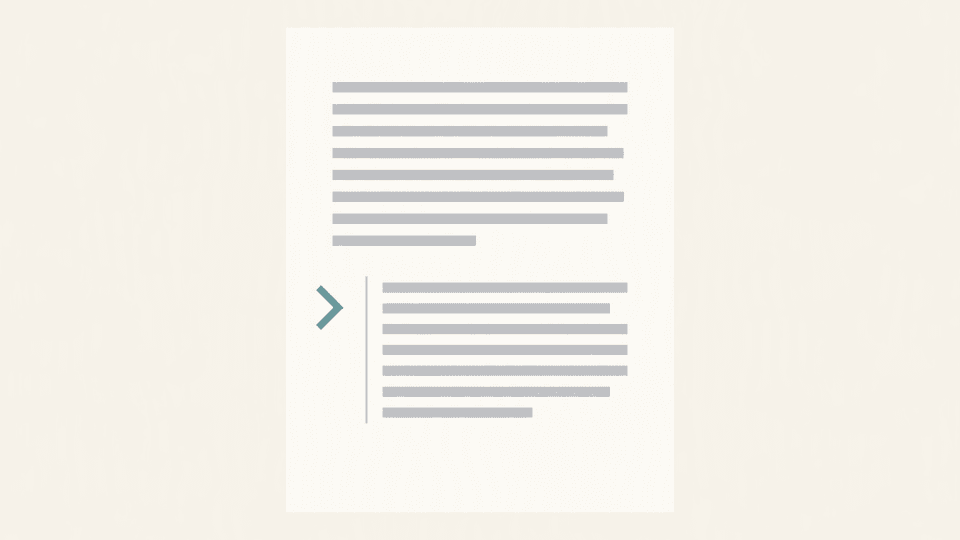
What a blockquote is and when to use one
A blockquote marks one or more paragraphs as quoted material rather than your own text. Writers reach for it when they need to:
- quote a source passage, a reviewer's comment, or an email reply
- separate a longer excerpt from the surrounding analysis
- add a visible callout inside a document without writing HTML
A blockquote is a container element, not a character style. Whatever you place inside keeps its own formatting: paragraphs, lists, headings, and code fences all sit inside the > prefix. That is why the same quote block works when the file travels between tools.
Single-line and multi-line quote syntax
One quoted paragraph needs a single >:
> Selection bias appears whenever the sample is not random.
> ```
For a quote spanning several lines, you have two equivalent forms. The first repeats the marker on every line:
```markdown
> The report found two problems.Both relate to how the data was sampled.
> ```
The second is lazy continuation: only the first line carries ` > `, and the following lines stay inside the quote because no blank line separates them:
```markdown
> The report found two problems.
> Both relate to how the data was sampled.
> ```
Both render as one quote. In practice, repeating ` > ` on every line is the safer habit, because lazy continuation depends on the next line not starting a new block, and the intent is easier to see in the raw file.
A blank line ends a quote. This source:
```markdown
> First quoted paragraph.
> Second quoted paragraph.
> ```
renders as two separate quotes, not one quote with two paragraphs.
## Nested blockquotes
A quote inside a quote starts with ` >> `, and each deeper level adds one more ` > `:
```markdown
> First level.
> >> Second level, quoted from the first.
> >>> Third level.Back to the first level.
> ```
CommonMark allows any nesting depth, but rendering gets harder to read beyond two or three levels, and some renderers flatten the styling of deep nesting. Two levels cover most real documents: the outer quote holds your framing, and the inner quote holds the text you are quoting.
## Lists, code fences, and tables inside a quote
Because a blockquote is a container, other block elements nest inside it. A list inside a quote:
```markdown
> Reviewer comments:
> >- The summary hides the main claim.- Fix the citation format.
> ```
A fenced code block inside a quote needs ` > ` on every line, including the fence lines:
```markdown
> The failing call was:
> >```GET /v1/orders?limit=50```
> ```
This pattern comes up often enough that the Meta Stack Exchange thread "Is there a way to put code blocks in block quotes?" is one of the recurring questions the top syntax guides do not answer. The rule is mechanical: every line of the code block, including the opening and closing fences, is prefixed with ` > `.
A table inside a quote follows the same rule, with ` > ` on every table line:
```markdown
> Results by condition:
> >| Condition | Sessions | Errors || --- | --- | --- || Baseline | 120 | 4 || Variant | 130 | 2 |
> ```
For the syntax of the elements you are nesting, see the dedicated pages on [Markdown code blocks](</blog/markdown-code-blocks>), [Markdown lists](</blog/markdown-lists>), and the [blank-line rules behind Markdown line breaks](</blog/markdown-line-breaks>).
## Common failures and fixes
When a quote stops rendering, the cause is almost always one of these five conditions:
| Symptom | Cause | Fix |
| --- | --- | --- |
| The quote ends halfway through the text | A blank line split the container into two quotes | Add ` > ` to the blank line, or repeat ` > ` on every line |
| The ` > ` shows as literal text in a code block | The line is indented four spaces or more, which starts a code block | Remove the leading indentation; up to three spaces is safe |
| A following paragraph joins the quote | Lazy continuation pulled an unprefixed line inside the container | Prefix the line with ` > ` or insert a blank line |
| The quote merges with the previous paragraph | A missing blank line between the paragraph and the quote | Leave one blank line before the ` > ` line |
| A literal ` > ` at line start should not quote | The parser treats a line-leading ` > ` as a quote marker | Escape it with a backslash: ` \> ` |
The indentation case deserves a note: CommonMark permits up to three spaces of indentation before the ` > ` marker, but four or more spaces switch the line into an indented code block, where ` > ` becomes literal text. Pasted text from other editors often carries hidden leading spaces, so strip indentation when a quote misbehaves.
## Renderer differences and Fylune rendering notes
CommonMark, GitHub Flavored Markdown, and pandoc all implement blockquote containers with the same ` > `-per-line rule; pandoc's manual describes a block quotation as one or more block elements, each line preceded by ` > ` and an optional space. Small differences appear in edge cases, such as how deeply nested quotes are styled, not in the core syntax.
Fylune renders rich Markdown, including tables, task lists, and media, inside ordinary local Markdown and MDX files, and core editing works without an account or a network connection. Because the file stays plain Markdown on disk, the quote you write renders the same way the next time you open the file in any CommonMark-compatible tool. To check a quote while writing it, open the same project folder in Fylune and compare the raw ` > ` lines with the rendered block.
## Quick reference
| Form | Meaning | Renders as |
| --- | --- | --- |
| ` > text ` | One quoted paragraph | Quoted block |
| ` > ` alone on a line | Empty line inside the same quote | Paragraph break within the quote |
| ` > text ` on consecutive lines | Multi-line quote | One quote with a paragraph break |
| Line without ` > ` after a quote line | Lazy continuation | Joins the quote |
| ` >> text ` | Quote inside a quote | Nested quote |
| ` >>> text ` | Third level of quoting | Double-nested quote |
| ` \> text ` | Escaped marker | Literal ` > ` character |
| ` > - item ` | List inside a quote | Bulleted list within the quote |
## FAQ
### How do I do a blockquote in Markdown?
Put ` > ` and an optional space at the start of the line. Use ` >> ` for a quote inside a quote, and repeat ` > ` on every line you want inside the same quote.
### What is the point of a blockquote?
It marks text as quoted material instead of your own, which keeps authorship clear in documents, reviews, and replies, and gives the excerpt its own visual treatment in every renderer.
If you want to see each example render while you write, open the same folder in Fylune, edit the plain file, and check the quoted block beside the source. Fylune downloads are available at [fylune.com/download](<https://www.fylune.com/download>).
## Sources
- Markdown Guide, Basic Syntax (Blockquotes): https://www.markdownguide.org/basic-syntax/
- CommonMark help tutorial, Lesson 05 Blockquotes: https://commonmark.org/help/tutorial/05-blockquotes.html
- Pandoc manual, Block quotations: https://pandoc.org/demo/example33/8.4-block-quotations.html
- Meta Stack Exchange, "Is there a way to put code blocks in block quotes?": https://meta.stackoverflow.com/questions/314122/is-there-a-way-to-put-code-blocks-in-block-quotes
- Fylune product overview (first-party claims on local, no-account rich Markdown and MDX rendering; docs/product-overview.md, last updated 2026-07-23)