

Markdown Headings: H1 to H6, Setext, and Heading IDs
A Markdown heading is either a line that starts with one to six # characters (ATX style) or a line of text underlined with = or - (Setext style). Markdown supports six heading levels, h1 through h6, and renderers that handle basic syntax handle both styles. This guide shows the exact syntax for each level, the rules that keep headings rendering correctly, how to choose the right level, and how heading IDs and auto-anchors work.
The quick answer
- Two syntaxes create headings: ATX, with hashes in front of the text, and Setext, with an underline below it.
- Six levels exist:
#is h1 and######is h6. There is no h7. - Use one h1 per document, then step down level by level without skipping.
- Most renderers generate an ID from each heading automatically, which is what makes links to sections possible.
Whether you searched for markdown headings or a markdown header, the terms name the same element, and the same rules apply to both.
ATX headings: hashes from one to six
ATX is the form most people use. Put one to six hashes at the start of a line, then a space, then the heading text. The number of hashes is the heading level:
# Heading level 1
## Heading level 2
### Heading level 3
#### Heading level 4
##### Heading level 5
###### Heading level 6
| Syntax | Renders as |
|---|---|
# Heading | h1 |
## Heading | h2 |
### Heading | h3 |
#### Heading | h4 |
##### Heading | h5 |
###### Heading | h6 |
Three rules prevent most failures:
- Put a space after the hashes. Markdown applications disagree on
#Headingwritten without the space; some treat it as a heading and some render it as plain text. For compatibility, always write# Headingwith the space. - Trailing hashes are optional and ignored.
## Heading ##renders as "Heading". Closing hashes are decoration, not part of the text, and they need a space before them. - Seven or more hashes is not a heading.
####### Headingrenders as plain text, because h6 is the deepest level the syntax defines.
For compatibility, also put blank lines before and after a heading; a heading pressed directly against a paragraph line renders differently across processors.
Setext headings: underlines that stop at level two
The Setext style underlines the line above it:
Document title
==============
Section title
--------------
=under a line of text produces h1.-under a line of text produces h2.- That is the whole list. There is no Setext form for h3 through h6, because the original Markdown design defined the style for only those two levels.
Setext reads naturally in prose-heavy notes and keeps special characters out of the heading text itself. Its limit shows up the moment a document needs depth: to add a third level you convert that heading to ATX anyway.
The most common Setext accident stays invisible until the file renders. A paragraph followed directly by a line of dashes becomes an h2:
The update ships next week.
---
That renders "The update ships next week." as a heading. To draw a horizontal rule instead, leave a blank line between the paragraph and the dashes; the Markdown Guide's basic-syntax page warns that a rule without blank lines "would be a heading."
ATX and Setext side by side:
| ATX | Setext | |
|---|---|---|
| Levels | h1 to h6 | h1 and h2 only |
| Lines per heading | one | two |
| Change a level | add or remove one # | replace the underline run |
| Typical users | most modern documentation | older READMEs and prose-style notes |
Choosing heading levels
Heading levels are an outline, not a font-size control.
- One h1 per document. The h1 states what the whole document is about, and everything below it nests under that line. One h1 keeps the outline unambiguous.
- Step down without skipping. h2 sections sit under the h1, h3 subsections sit under their h2, and so on. Rendered outlines and generated tables of contents are built from this level order, so a skipped level makes the structure read as if content is missing.
- Do not pick a level for its size. The number of hashes sets the hierarchy level; typeface size comes from the renderer's stylesheet, not from the syntax. If a heading looks too big, that is a styling problem, not a reason to jump to
####. - Write headings as short noun phrases. A heading is scanned, not read; the detail belongs in the body below it.
If you searched for markdown h1 syntax specifically, the answer is one hash: the first # line is your document's h1, and it should be the only one.
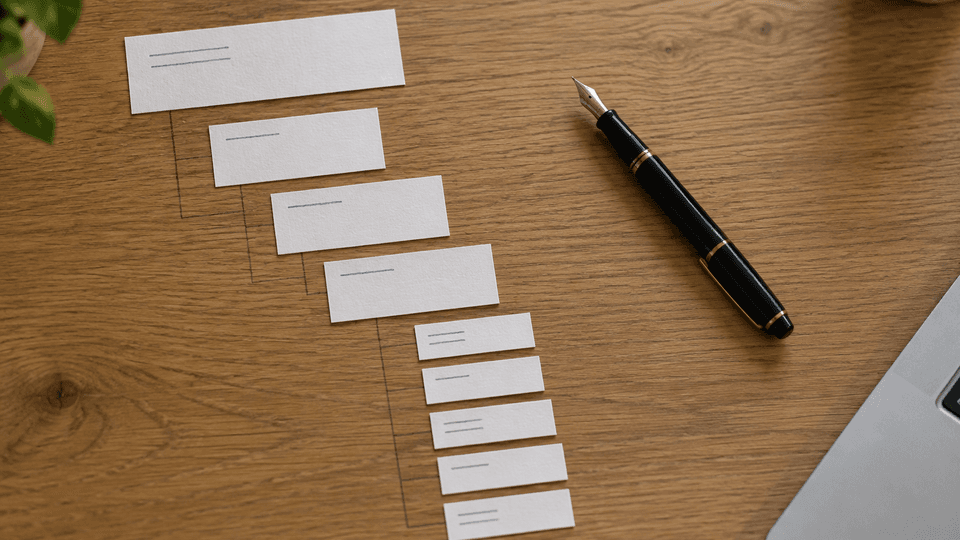
A clean outline looks like this:
# Project handbook
## Getting started
### Install the tools
### Create the project folder
## Daily workflow
### Writing notes
### Reviewing changes
Every level differs from its parent by exactly one, and the outline a renderer generates from these lines mirrors the structure you intended. Heading structure also pairs with the next layer of document structure, lists; see Markdown Lists: Ordered, Unordered, and Nested Syntax for that syntax.
Heading IDs and auto-anchors
Renderers that generate a document outline or table of contents from headings also create an anchor for each heading, so links can point at a section. GitHub's rules are representative: letters become lowercase, spaces become hyphens, other whitespace and punctuation are removed, and a duplicate heading gets a hyphen and a number appended (#setup, then #setup-1). Hovering over a rendered heading on GitHub exposes the anchor icon with the exact value.
Three practical consequences:
- Renaming a heading changes its anchor. Links pointing at the old slug break quietly, so update them when you retitle a section.
- Slug rules differ between renderers. Accented characters and duplicate numbering are handled differently. Check the value in the renderer you publish to instead of assuming.
- The link itself is ordinary link syntax with a fragment:
[Setup](<#setup>). The full mechanics, including reference-style and relative file links, are covered in How to Add a Link in Markdown: Inline, Reference, and File Links.
Some publishing-focused processors also accept an explicit custom ID written after the heading text, such as ### Setup {#setup}. GitHub does not; its documentation recommends a raw HTML anchor tag (<a name="my-custom-anchor-point"></a>) when you need an anchor without a heading.
Headings in Fylune
Fylune is a local-first document workspace for Markdown, MDX, and images. The files stay ordinary files in your project folder, and headings are just text lines that any editor, Git client, or AI agent can read. Fylune reads that same heading hierarchy to give you an outline you can navigate through, with core editing available without an account.
That matters for headings specifically: structure written in plain # syntax keeps working everywhere. When a heading outline is what helps you move through a long document, Fylune works on the same local files your other tools already use, so the outline and the file never drift apart.
If you want a local Markdown editor that keeps files in your folders, download Fylune for macOS.
Frequently asked questions
How many levels of headings does Markdown support? Six: # through ######, producing h1 through h6. A seventh hash is not a heading.
Can you make an h7 heading in Markdown? No. Six levels is the ceiling in both the syntax and the underlying HTML heading model. Fold deep content into lists or split the document instead.
What is the difference between ATX and Setext headings? ATX puts hashes in front of the text and supports all six levels. Setext underlines the text with = for h1 or - for h2 and supports only those two levels.
Why does my paragraph suddenly become a heading? A line of dashes directly under a paragraph is Setext h2 syntax. Add a blank line before the dashes to get a horizontal rule instead.
How do I link to a specific heading? Renderers generate an anchor from the heading text. On GitHub, letters become lowercase, spaces become hyphens, punctuation is removed, and duplicates get -1, -2 suffixes. Link with [text](<#anchor>), and confirm the exact slug in your renderer.
Sources
- Markdown Guide, Basic Syntax: headings, alternate syntax, and heading best practices. https://www.markdownguide.org/basic-syntax/
- Daring Fireball, Markdown Basics: Setext and atx header styles. https://daringfireball.net/projects/markdown/basics
- GitHub Docs, Basic writing and formatting syntax: heading levels, section links, anchor generation rules, and custom anchors. https://docs.github.com/en/get-started/writing-on-github/getting-started-with-writing-and-formatting-on-github/basic-writing-and-formatting-syntax