

By Orion Wells
To decide where to mail Form 8822, check line 2 first. If that box is checked, use the designated Kansas City address below. If it is unchecked, choose the applicable row using your old home mailing address and any special category in the instructions. Your new state does not determine the destination. Follow this order in the IRS form's Where To File instructions, page 2.
The IRS current-revision page still links to Form 8822, Rev. February 2021, checked on November 10, 2026. Read the current PDF again before mailing, particularly if you saved an older copy.
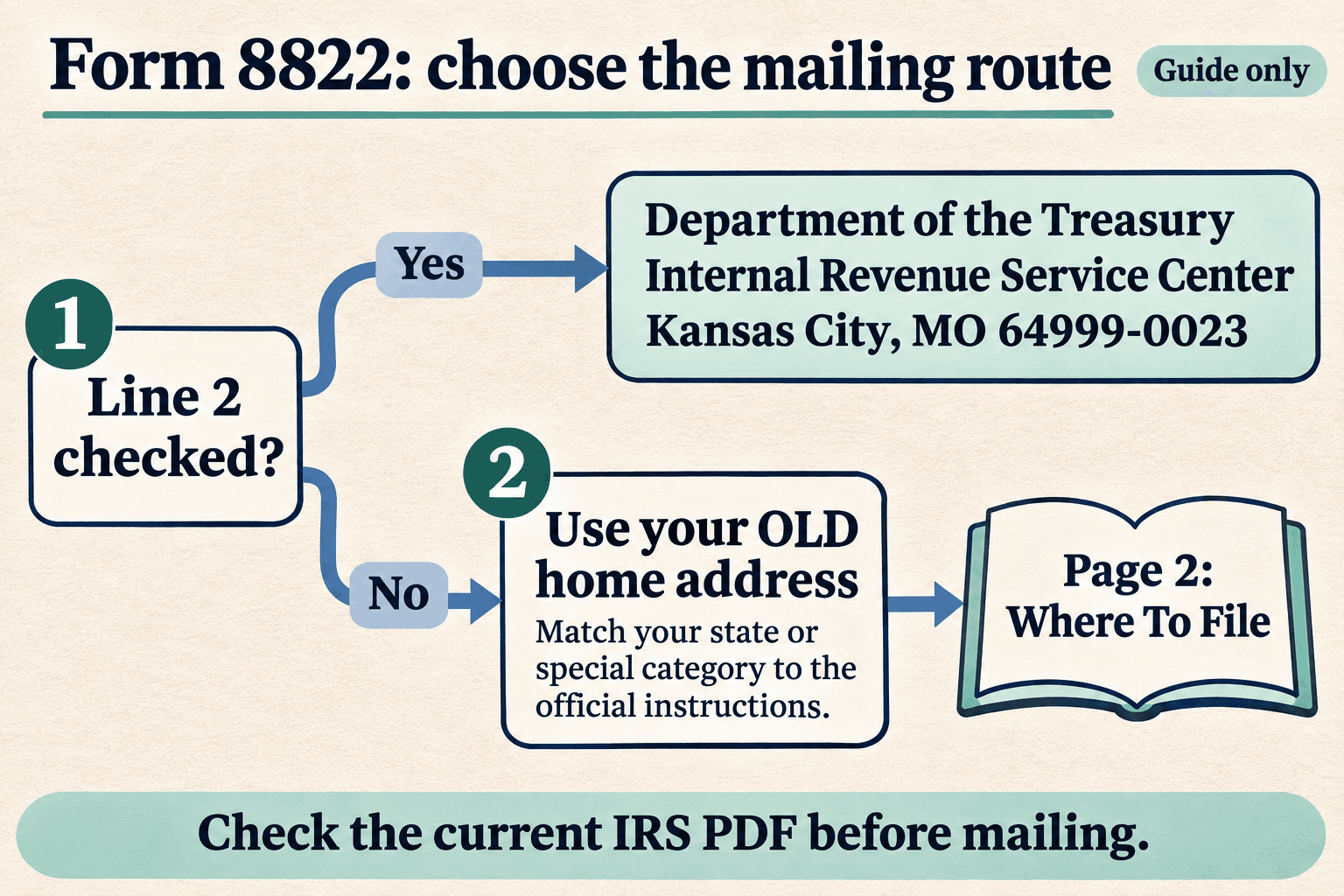
Routing guide. Use the current official PDF for the full instructions and postal destinations.
First fork: did you check the box on line 2?
Form 8822 reports a change to your home mailing address. Line 1 covers individual income tax returns, including Forms 1040, 1040-SR and 1040-NR. Line 2 covers gift, estate or generation-skipping transfer tax returns, including Forms 706 and 709. Check every affected category; both can apply. For Forms 706 and 706-NA, line 2 also asks for the decedent's name and Social Security number. Source: Form 8822, page 1.
If you checked line 2, mail Form 8822 to:
Department of the Treasury Internal Revenue Service Center Kansas City, MO 64999-0023
This branch comes before the old-address table. If line 2 is unchecked, continue to the table. Source: Form 8822, page 2.
The Form 8822 mailing address table: use your old address
If you are deciding where to send Form 8822 with line 2 unchecked, find the row that applies to you below. These destinations and categories come from the current PDF's Where To File section, verified November 10, 2026.
| Old home mailing address or applicable category | Mailing destination |
|---|---|
| Alabama, Arkansas, Delaware, Georgia, Illinois, Indiana, Iowa, Kentucky, Maine, Massachusetts, Minnesota, Missouri, New Hampshire, New Jersey, New York, North Carolina, Oklahoma, South Carolina, Tennessee, Vermont, Virginia, Wisconsin | Department of the TreasuryInternal Revenue ServiceKansas City, MO 64999-0023 |
| Florida, Louisiana, Mississippi, Texas | Department of the TreasuryInternal Revenue ServiceAustin, TX 73301-0023 |
| Alaska, Arizona, California, Colorado, Connecticut, District of Columbia, Hawaii, Idaho, Kansas, Maryland, Michigan, Montana, Nebraska, Nevada, New Mexico, North Dakota, Ohio, Oregon, Pennsylvania, Rhode Island, South Dakota, Utah, Washington, West Virginia, Wyoming | Department of the TreasuryInternal Revenue ServiceOgden, UT 84201-0023 |
| A foreign country, American Samoa, or Puerto Rico; or you are excluding income under Internal Revenue Code section 933; or use an APO or FPO address; or file Form 2555, 2555-EZ, or 4563; or are a dual-status alien or non bona fide resident of Guam or the Virgin Islands | Department of the TreasuryInternal Revenue ServiceAustin, TX 73301-0023 |
| Guam: bona fide residents | Department of Revenue and TaxationGovernment of GuamP.O. Box 23607GMF, GU 96921 |
| Virgin Islands: bona fide residents | V.I. Bureau of Internal Revenue6115 Estate Smith Bay, Suite 225St. Thomas, VI 00802 |
The special-category row contains alternatives joined by or. Bona fide residents of Guam and the Virgin Islands have their own rows; do not group them into the Austin row. The Washington, DC address under Comments on page 2 is for comments about the form. It is not a destination for your completed Form 8822. Source: Form 8822, page 2.
Fictional example: moving from New York to California
Suppose an individual moves from New York to California and the change affects only their individual income tax returns. Line 1 applies and line 2 is unchecked. No special category applies in this example.
| Review item | Fictional situation |
|---|---|
| Old home address, line 6a | New York; street address and identifiers omitted |
| New address, line 7 | California; street address and identifiers omitted |
| Line 2 | Unchecked |
| Row to use | New York in the Kansas City group |
The envelope goes to Department of the Treasury, Internal Revenue Service, Kansas City, MO 64999-0023. California appears in the Ogden group, but it is the new address here, so it does not select the destination. If line 2 were checked, its separate Kansas City instruction would apply before any state lookup. This example applies the official routing instructions; it does not describe an actual filing or promise an acceptance result.
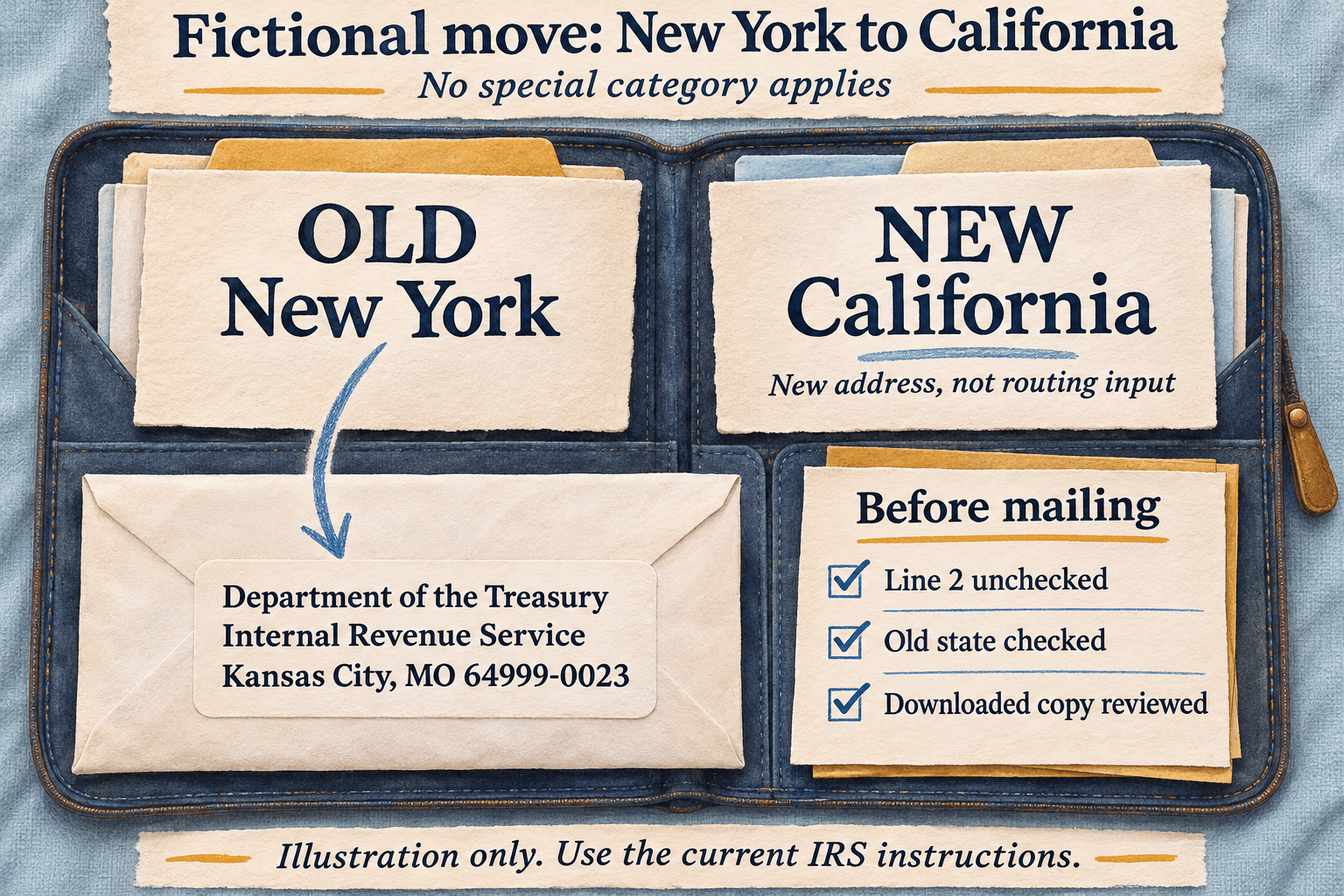
Fictional review aid. No special category applies; no personal address or taxpayer identifier is shown.
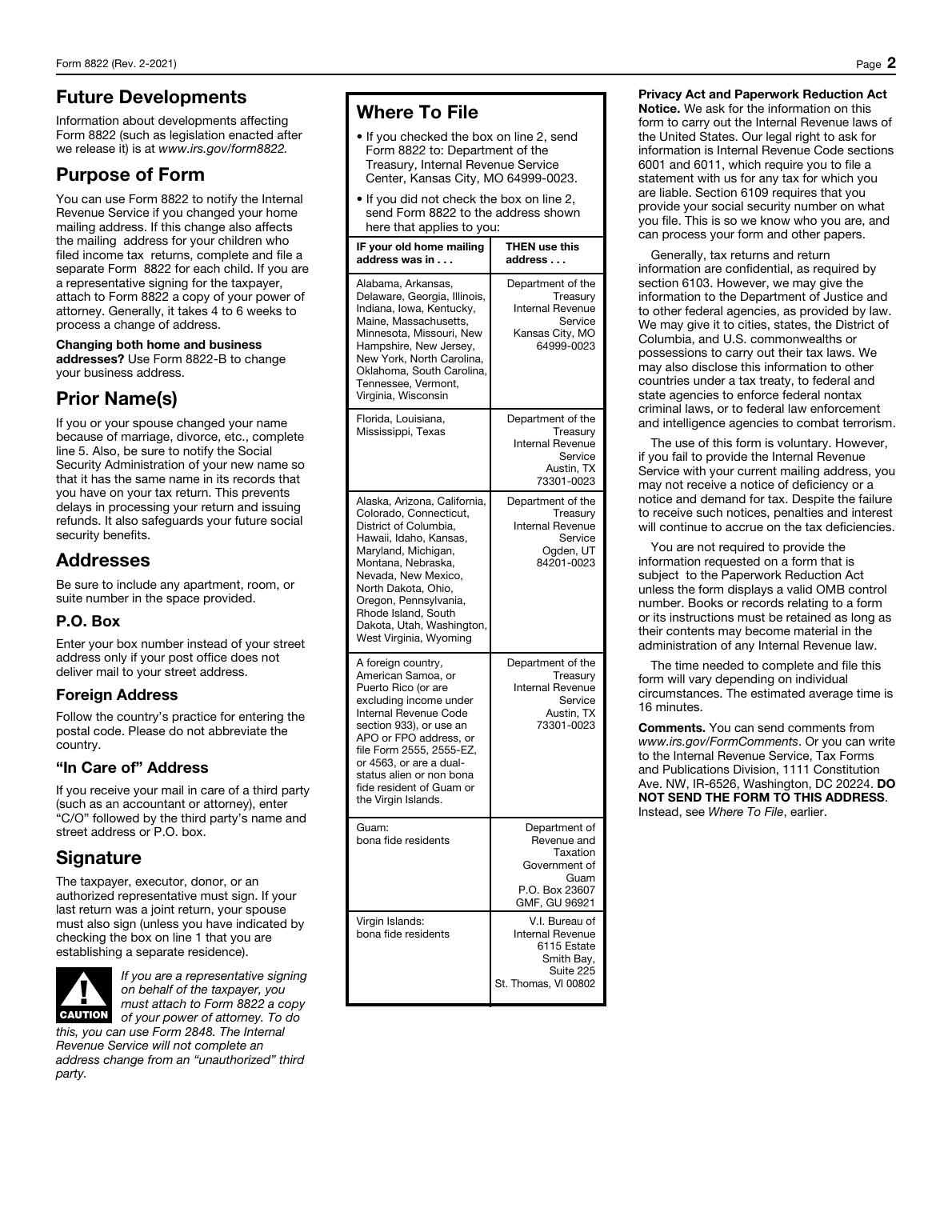
Actual rendering of IRS Form 8822, page 2, Rev. February 2021, retrieved November 10, 2026. Open the PDF for a larger view.
Review the packet before mailing
Start with the downloaded copy, not just the editor view. Open both pages and compare the envelope address with the Where To File section on page 2. The form says not to attach it to your tax return. Source: Form 8822.
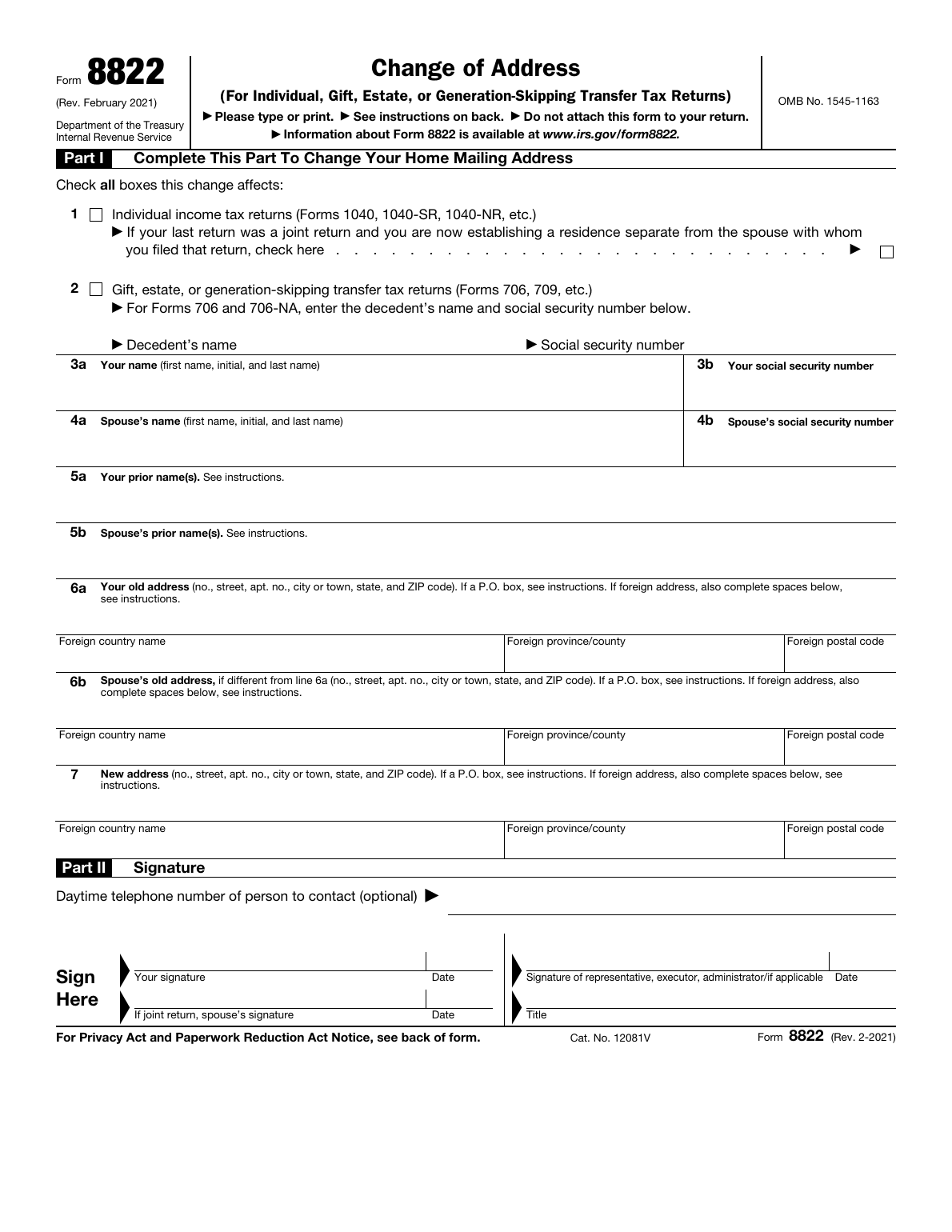
Actual rendering of IRS Form 8822, page 1, Rev. February 2021, retrieved November 10, 2026. No taxpayer information has been entered.
Use this pre-mail check:
- Affected returns: check all categories that apply on lines 1 and 2. The separate-residence box on line 1 applies when your last return was joint and you are now establishing a residence apart from that spouse.
- Old and new addresses: line 6a is your old address, line 6b is your spouse's old address if different, and line 7 is the new address. Include apartment, room or suite details. Use a P.O. box in place of a street address only if your post office does not deliver to that street address. For foreign addresses, follow the country's postal-code practice and write the country name without abbreviating it. For mail received through a third party, use C/O followed by that party's name and street address or P.O. box.
- Signatures and dates: the taxpayer, executor, donor or an authorized representative must sign. If the last return was joint, the spouse must also sign unless the separate-residence box on line 1 is checked. Check the date spaces beside the applicable signatures. A representative signing for the taxpayer must attach a copy of their power of attorney; Form 2848 can be used for this authority.
- Separate requests: if the move affects a child who filed an income tax return, complete a separate Form 8822 for that child. If spouses who filed jointly now have separate addresses, each should notify the IRS of their own new address.
- Destination: check line 2, then the applicable old-address or special-category row if line 2 is unchecked. Compare every postal line and ZIP suffix before sealing the envelope.
These checks follow Form 8822, both pages and the IRS address-change FAQ. For a broader download-review workflow, see how to fill out a PDF form online and check the download.
Is the change for a business?
Use Form 8822-B for a business address change. If both your home and business addresses changed, the Form 8822 instructions direct you to use Form 8822-B for the business address. Check that form's own instructions rather than transferring this home-address table to it. Source: Form 8822, page 2.
Processing time and other ways to notify the IRS
The Form 8822 instructions give a general processing time of 4 to 6 weeks. The IRS FAQ says four to six weeks after receipt, while Topic 157 gives a general estimate of 45 days. These estimates describe processing the address change. They do not promise a completion date or tell you when a particular letter or refund check will arrive.
Mailing Form 8822 is one option. The IRS also describes:
- Using your new address on a tax return. If you move before filing, put the new address on the return. The IRS updates its records when it processes the return; also tell your return preparer. Topic 157.
- Sending a signed written statement. Include your full name, old and new addresses, and SSN, ITIN or EIN. The FAQ directs you to mail the signed statement to the address where you filed your last return. Joint filers still living together should provide both spouses' names, SSNs, new address and signatures. This statement has its own mailing instruction; do not assume it uses the Form 8822 table. IRS FAQ.
- Oral notification by phone or in person. Be ready to verify your identity and the address on file, with your full name, old and new addresses, and SSN, ITIN or EIN. The IRS may ask for additional information. IRS FAQ.
USPS address-change information may update IRS records through the National Change of Address database, but not all post offices forward government checks. Notify the IRS as well as the post office; do not rely on forwarding alone. IRS FAQ.
Prepare a reviewed copy in Fylune
Open the Form 8822 template, enter your facts, then review and download your copy. The published template opens the official two-page form. Optional AI assistance uses information you supply on supported fields; check each answer and finish any remaining details yourself.
Fylune supports user-added visible signatures on supported PDFs. A signature placed in the editor does not establish IRS acceptance of that signing method. Check the form's signature requirements, obtain the applicable signatures, and inspect the downloaded or printed copy before mailing. Free PDF exports include a watermark; clean exports have paid options.
After preparing the document in Fylune, review your copy and send it to the destination selected from the current instructions. Fylune does not mail or file Form 8822, notify the IRS, or guarantee acceptance.
Sources
Official sources checked November 10, 2026: