
Image to Markdown
Turn a JPG or PNG into editable Markdown. Recover headings, lists, and tables from a screenshot, then check the result in Fylune and download a .md file.
Drop a JPG or PNG here
JPG or PNG, up to 8 MB · Parsed by TextIn xParse
How it works
Choose a file
Select a file or drop it into the upload area.
Recover the structure
Fylune turns recognizable headings, lists, and tables into Markdown.
Review and download
Check the result in the editor, then download a copy.
From screenshot to editable document
Try this bilingual screenshot. The heading, two list items, and three data rows should be easy to find in the result.
Download sample PNG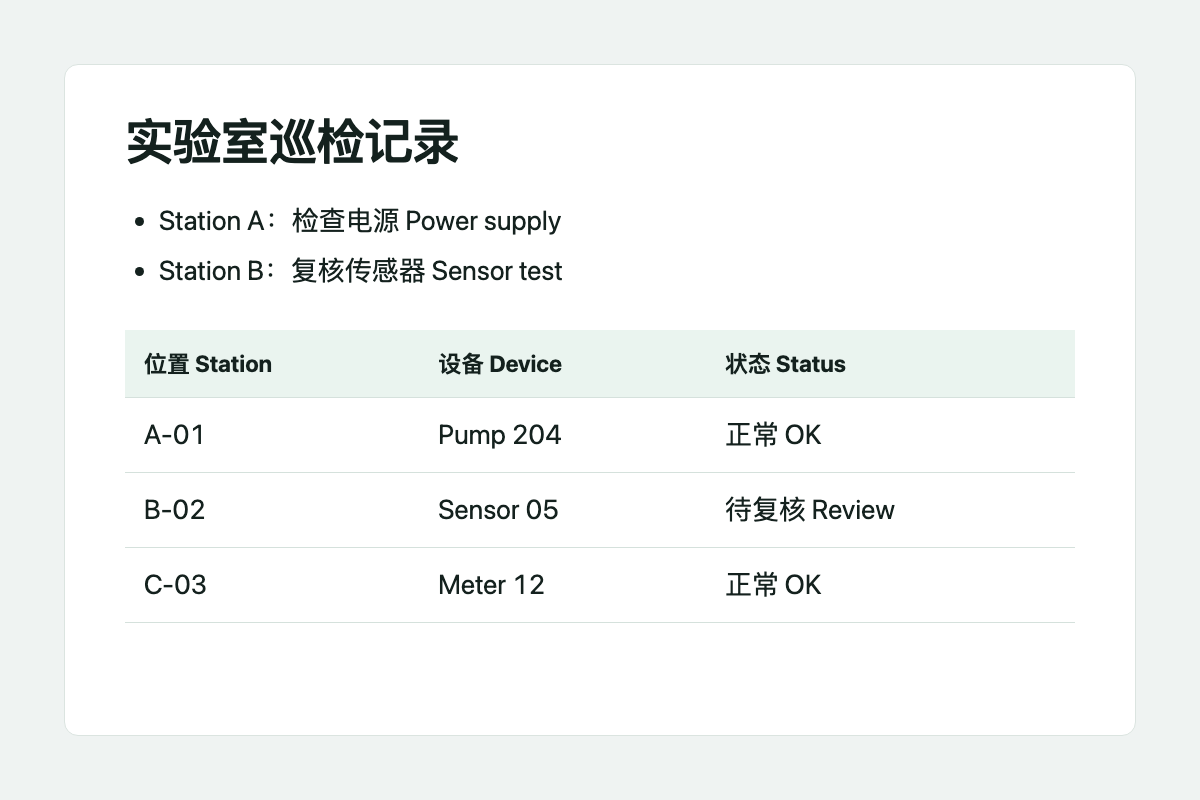
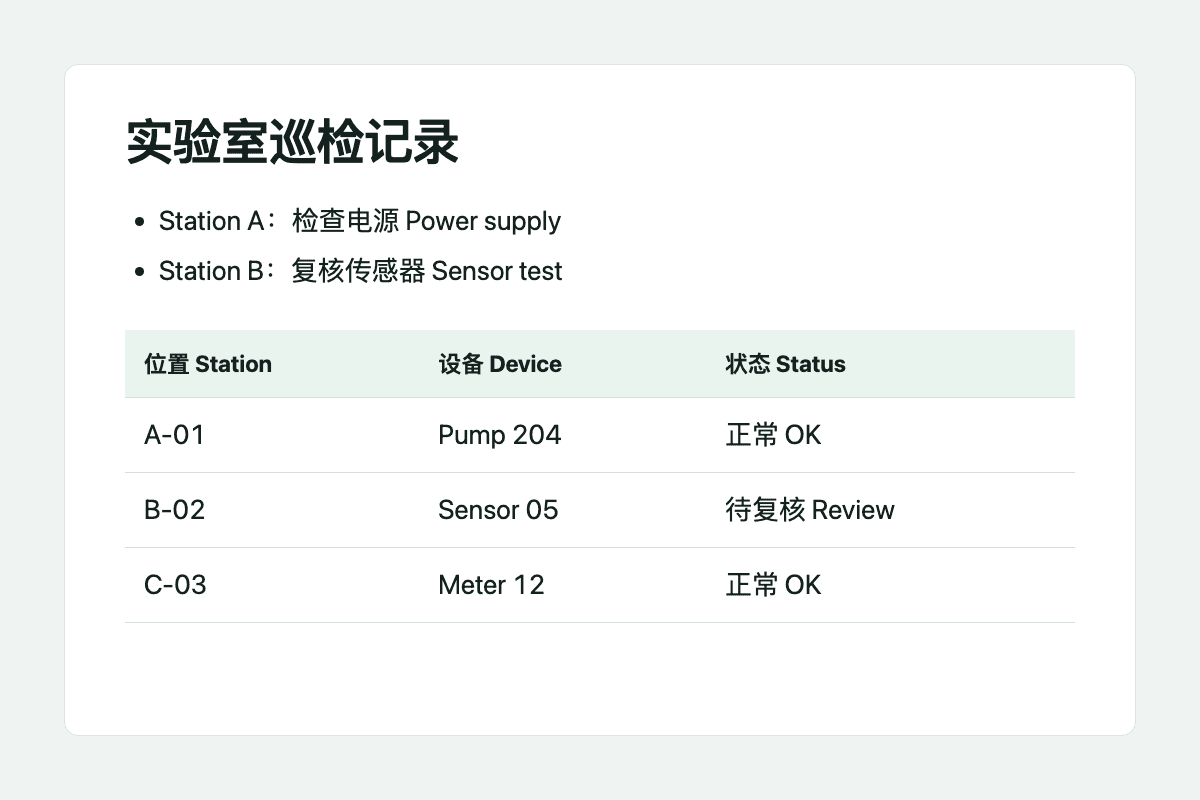
Markdown preview
实验室巡检记录
- Station A:检查电源 Power supply
- Station B:复核传感器 Sensor test
| 位置 Station | 设备 Device | 状态 Status |
|---|---|---|
| A-01 | Pump 204 | 正常 OK |
| B-02 | Sensor 05 | 待复核 Review |
| C-03 | Meter 12 | 正常 OK |
Check names, numbers, and table columns against the original image.
What to convert to Markdown
- Reuse instructions from a screenshot
- Bring over the heading and steps as a list you can edit, reorder, and share with your team.
- Recover a table from a PNG
- Keep codes, names, and quantities in their own columns. Check a few rows against the source before reusing the data.
- Turn bilingual notes into a document
- Capture the parts you need, then edit the Chinese and English together in the same document.
Frequently asked questions
Can I convert a JPG or PNG to Markdown?
Yes. Upload one JPG, JPEG, or PNG up to 8 MB. Fylune opens the parsed result as a .md document.
Will the table remain editable?
Simple tables can be returned as editable rows and columns. Check merged cells and dense tables against the source.
Does this work with Chinese and English on the same page?
Yes. You can upload screenshots with Chinese and English together. Review short codes and numbers before downloading.
Does the Markdown include the original photo or charts?
The output contains the parsed text and structure. Photos and charts from the image are omitted.
Where is the image processed?
Fylune sends the image to TextIn xParse for parsing. The resulting Markdown opens in the Web editor for review and download.