

By Orion Wells
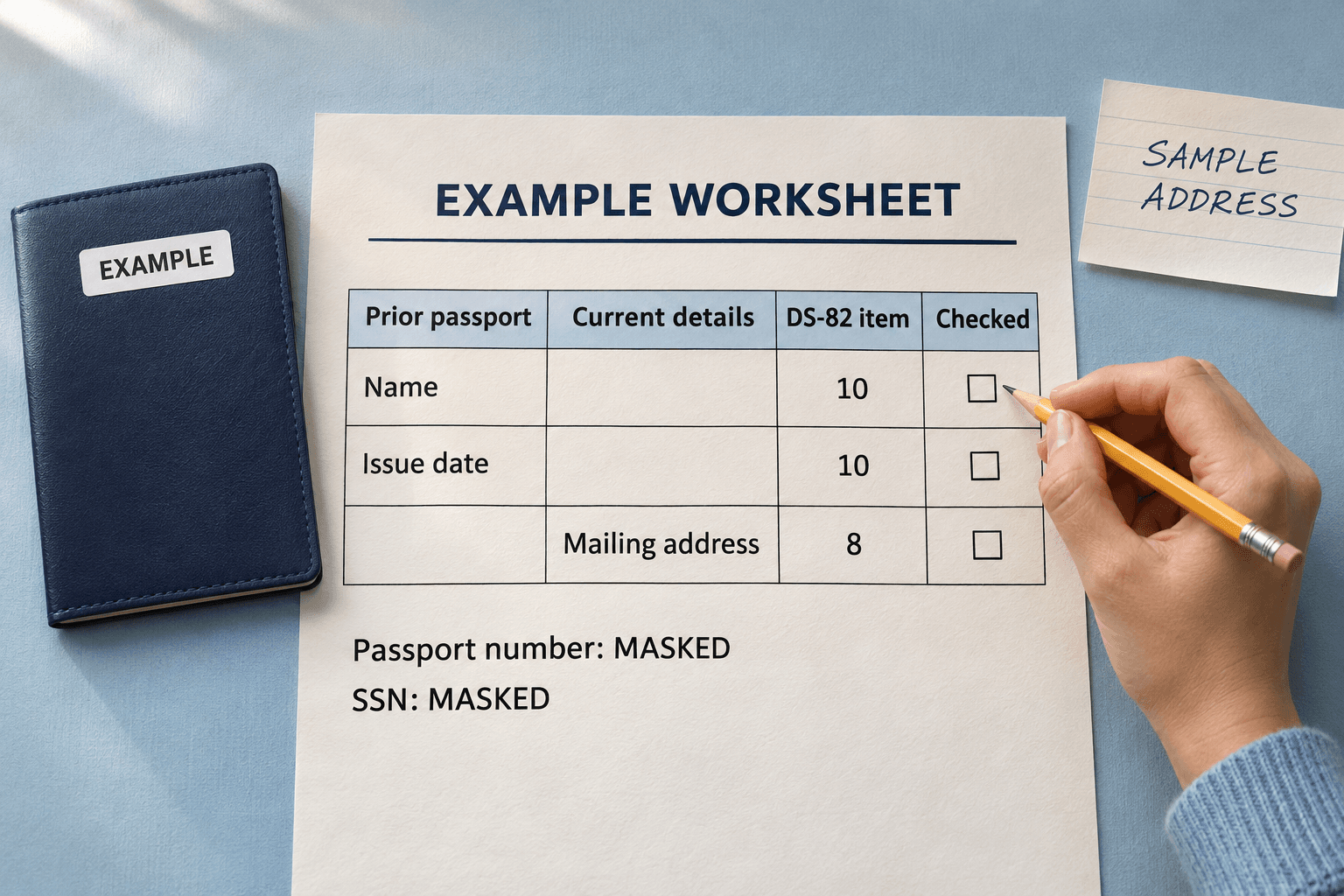
Cover illustration generated with AI. The EXAMPLE worksheet separates prior-passport facts from current contact details.
Start with Section A of the current DS-82. Every one of its six passport conditions must be satisfied before you prepare this paper renewal. Then reconcile the old passport with your current details, complete both application pages, print, sign and assemble the required attachments. The official PDF retrieved for this guide is DS-82 04-2025, with four instruction pages followed by two application pages. Keep those instructions beside your working copy. Official DS-82 form and instructions
Check every DS-82 condition before preparing a renewal
Read all six statements against the passport you will submit. Section A requires a Yes for each condition.
| Check | What you need to establish |
|---|---|
| Possession and submission | You can send your most recent U.S. passport book and/or card with the application. |
| Age when issued | You were at least 16 when that passport was issued. |
| Issue date | Your most recent passport was issued less than 15 years ago. |
| Condition and loss reports | The passport being renewed has not been mutilated, damaged, or reported lost or stolen. |
| Limited validity | Its validity was not reduced below the normal ten years because of damage/mutilation, repeated thefts/losses, or non-compliance with 22 C.F.R. 51.41. Check the book's endorsement page. |
| Name | Your name is unchanged, or it changed through marriage or court order and you can submit the required certified evidence. |
A No means stop using this example and follow the agency's route guidance. The form identifies DS-11 or DS-5504 as possible alternatives depending on the circumstances. For a limited-validity passport, check the agency's specific renewal guidance before choosing a route. Applicants with no-fee, service, official or diplomatic passports also need their sponsoring agency's routing instructions. DS-82, Section A · Current mail-renewal guidance
Online renewal has its own eligibility rules and application process. Check the Department of State's online-renewal page if you want that option. Official online renewal
Make a prior-passport and current-contact worksheet
Keep two sources of information in view. Your old passport supplies its issued name, number and issue date. Your current records supply the address and contact details you want to use now. The following worksheet maps those sources to the actual 04-2025 application fields. DS-82, Section C and Application Pages 1 and 2
| Information to gather | DS-82 destination | Review before typing |
|---|---|---|
| Name you want on the new passport | Item 1, Name | Match the previous passport or the required name-change document. |
| Birth date and birthplace | Items 2 and 4 | Use MM/DD/YYYY for the date and the requested city/state or city/country for birthplace. |
| Your Social Security information | Item 5, Social Security Number | Use your own information and follow Section C's special instructions if you have never been issued an SSN. |
| Current email and main phone | Items 6 and 7 | Confirm both independently of your old passport records. |
| Address for receiving mail | Item 8, Mailing Address | Check the street or permitted mailing address, apartment, city, state and ZIP. Follow the In Care Of instructions when applicable. |
| Other legal names previously used | Item 9 | Review your own name history, including names beyond the one on your last passport. Attach a separate sheet if needed. |
| Name, number and issue date on the old book/card | Item 10, U.S. Passport Information | Keep book and card details in their respective rows. |
| A qualifying change from the prior passport name | Item 11, Name Change Information | Complete when applicable and gather the required evidence. |
| Residential address when different, or when item 8 uses a PO Box | Item 18, Permanent Address | Follow the printed condition. A PO Box is excluded here. |
| A person who will remain reachable during your trip | Item 19, Your Emergency Contact | The form asks for someone who is not traveling with you. |
This worksheet follows the DS-82 form instructions. Also complete the remaining applicable entries, including item 3 using the current Section C instructions, page two's applicant name and birth date, items 12 through 17, and item 20. Item 20 directs applicants without travel plans to write “none.” DS-82 application and instructions
To prepare a working copy, download the current official blank, open Fylune's editor and select Choose a File. Check text placement before entering sensitive details, then review and reopen the exported file. The editor entry states that Web files save automatically to your cloud account. Official PDF · Open Fylune
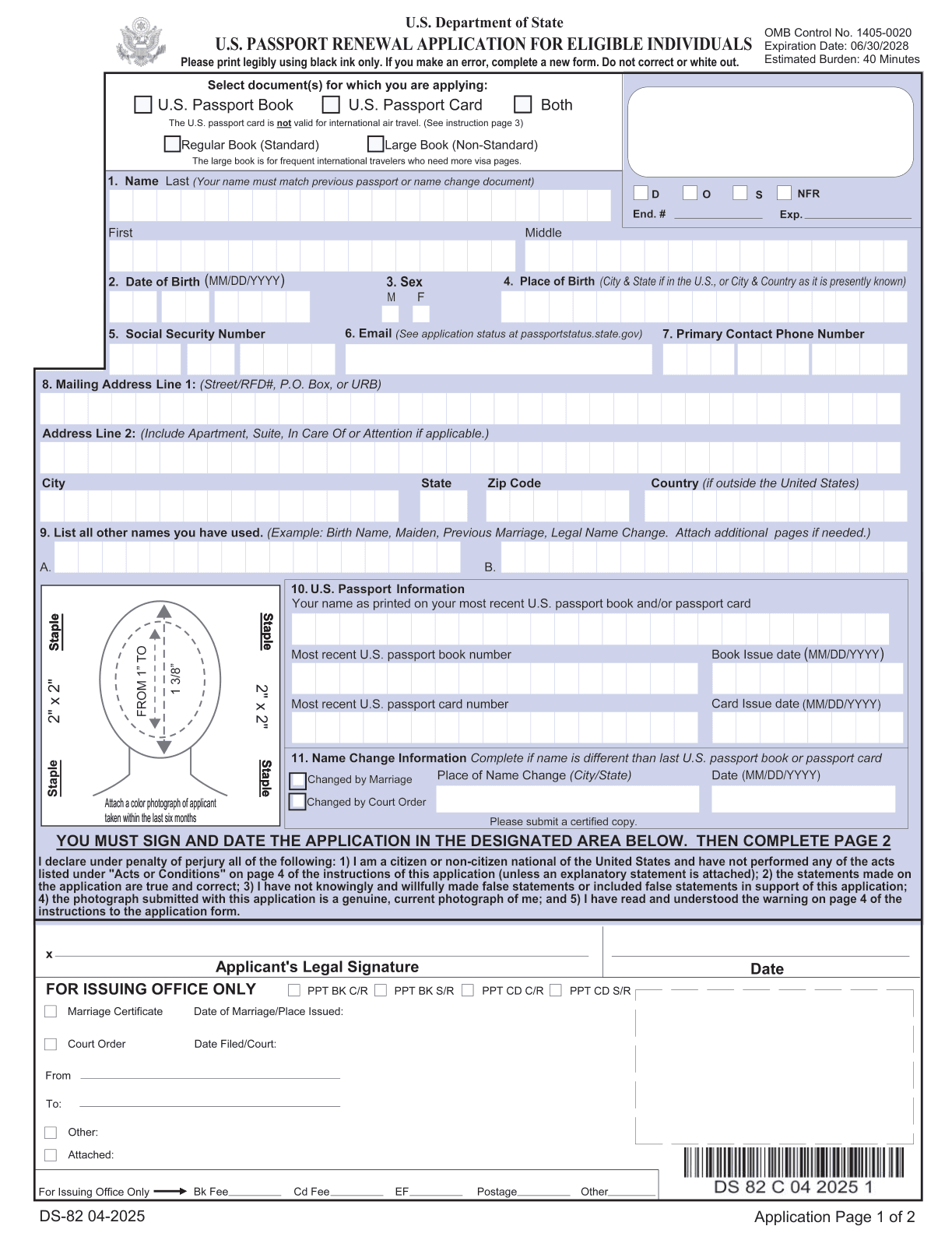
Unaltered rendering of Application Page 1 from the official 04-2025 PDF. The book/card details are in item 10, with name-change information in item 11. Official source
Follow a fictional unchanged-name renewal example
EXAMPLE throughout this section. Jordan Lane is fictional. Jordan's EXAMPLE date of birth is 09/12/1988, and the EXAMPLE passport issue date is 06/14/2018. Jordan was 29 when it was issued. Assume it is the most recent passport, remains in Jordan's possession, has normal ten-year validity, is undamaged, has never been reported lost or stolen, and bears Jordan's unchanged name. Check each assumption against your own passport before using this route.
| Fictional worksheet fact | Where Jordan checks it |
|---|---|
| EXAMPLE name, Jordan Lane | Item 1 has Lane as last name and Jordan as first name. Item 10 must agree with the name printed on the prior passport. No middle name is supplied in this teaching example. |
| EXAMPLE birth date, 09/12/1988 | Item 2 and the birth-date header on Application Page 2. |
| EXAMPLE passport book identifier, MASKED | The book-number row in item 10. |
| EXAMPLE book issue date, 06/14/2018 | The book issue-date row in item 10. |
| EXAMPLE SSN, XXX-XX-XXXX | An editorial reminder beside item 5 in this worksheet only. |
| EXAMPLE current mailing details, SAMPLE ADDRESS | Item 8, using Jordan's actual current mailing details when preparing a real application. |
| EXAMPLE unchanged name | Item 11's name-change condition does not apply under these assumptions. |
MASKED, XXX-XX-XXXX and SAMPLE ADDRESS are editorial placeholders. Enter your own required information on the real application, then provide your own photograph and signature as instructed. The table shows a partial worksheet, so the applicant still needs to complete all applicable fields using their own facts. DS-82, Section C and Application Page 1
Complete the official PDF in the upload workflow
The current Fylune catalog checked for this guide has no built-in DS-82 template. Use the official download and upload workflow. Fylune supports PDF fields and text annotations, and its Web entry offers Choose a File. Fylune PDF editor · Editor entry
The official file downloaded for this guide returned an empty interactive-field inventory. Treat that as an observation about this file. Try supported text annotations only after checking that they can be placed inside the intended answer areas while preserving the printed form.
- Download DS-82 from the Department of State and keep the blank as a reference.
- Open the PDF through Choose a File and locate the two application pages after the four instruction pages.
- Check annotation placement in an answer area before completing the rest. Keep labels, checkboxes, photo space, barcodes and signature area clear.
- Enter your own facts, using the worksheet to reconcile the old passport and current details.
- Download a copy and reopen that file. Inspect both application pages at print scale for clipping, shifted text, missing answers or changed official content.
If permissions, text placement or export prevent a faithful copy, use the Department's Form Filler or another preparation route supported by its instructions. The agency's forms page links both its Form Filler and official PDF downloads. Passport forms and printing guidance
Fylune's free PDF exports include a watermark, with paid options for clean exports. Check that the final output meets agency requirements before preparing your packet. Current plan information is on the pricing page. Fylune pricing
For the broader import, download and reopening checks, see Fylune's general guide. How to fill out a PDF form online and check the download
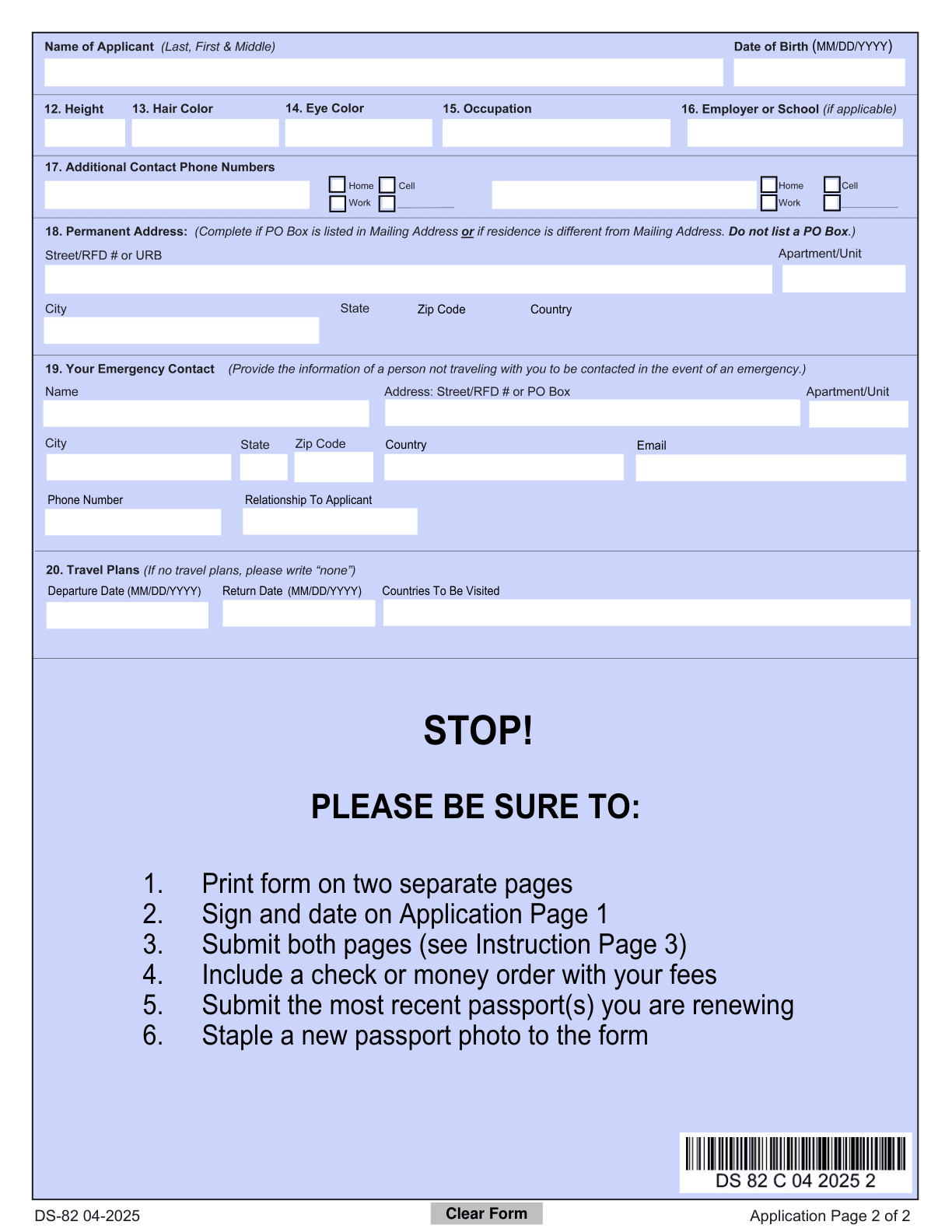
Unaltered rendering of Application Page 2 from the same official PDF. Review the permanent-address condition, emergency contact and travel-plan entry before printing. Official source
Keep the renewal signature and attachments in the right sequence
Finish the entries, inspect the downloaded copy, then print and add your original handwritten signature and date in the designated block on Application Page 1, below item 11. Read the declaration above it before signing. Section B requires a completed and signed renewal form, and Section C points to that same signature block. DS-82, Sections B and C · Agency printing and original-signature guidance
Use Section D to reconcile the rest of the packet.
- Gather the most recently issued passport book and/or card required for your request. Section D also directs applicants to submit any valid passport product they hold. Reconcile the product selected at the top of the application with the agency's current document-return table.
- Attach one recent color passport photograph, 2 by 2 inches, following the official photo requirements and the placement template on Application Page 1. Check the full requirements and applicable medical or religious exceptions in Section D. Follow the four-corner stapling instructions without bending the photo.
- If the requested name differs from the old passport name, provide the required name-change documentation under Sections A, C and D. Check the prescribed document type and certification. If you cannot document the change as required, follow the agency's alternative application guidance.
- Prepare the required payment using the current fee and payment instructions for your application location and requested service.
Check each attachment against the official instructions while assembling it. DS-82, Section D · Current renewal steps and passport-product table
Run the renewal packet review before mailing
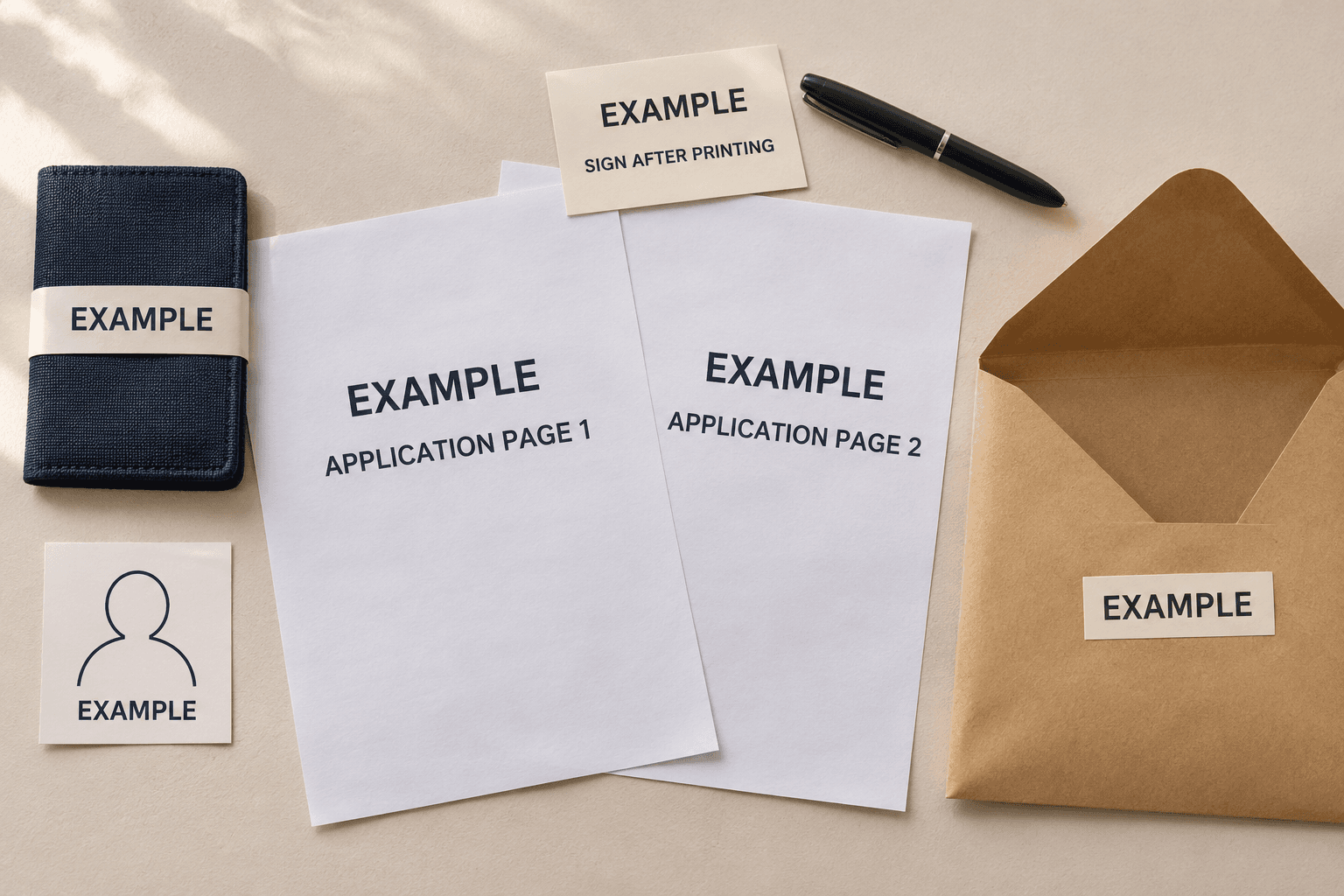
AI-generated editorial illustration. Every component is labeled EXAMPLE. Use the official form and your own required materials for your application.
Print the two application pages on separate sheets of 8.5-by-11-inch letter paper in portrait orientation. Ensure the form image covers the page and that every answer is legible. Section E says the instruction pages can stay out of the submitted packet. Passport printing rules · DS-82, Section E
Put the printed application beside your passport and worksheet. Compare the requested book/card selection, item 10's book/card details and the products you will enclose. Look again at item 8's mailing address and item 18's conditional permanent address. Those current addresses deserve a separate check after you finish copying the prior-passport information.
Recheck fees and the mailing destination immediately before sending. Section E separates routine-service destinations by residence and lists another destination for expedited service. Applicants outside the United States and Canada need the relevant embassy or consulate's procedure. For a U.S. mailing, the current renewal page specifies USPS. Choose the destination using your actual location and service selection. Current mail-renewal instructions
The agency's fee page and renewal instructions give the current amount, payment method and optional service charges. Calculate your own total from the products and services selected. You handle payment and mailing after preparing the reviewed document. Current passport fees
Questions before the envelope is sealed
What does a No on the route checklist mean?
Stop using DS-82 under this example. Check the agency's application guidance for your circumstances, including any limited-validity or name-change issue. The PDF's Section A identifies possible alternative forms. Official DS-82 instructions
What if the PDF has no fields I can click?
Check whether supported text annotations preserve the intended answer areas and the exported page. If that check fails, use the agency's Form Filler or another supported preparation route. Reopen and inspect whichever copy you produce. Official forms and Form Filler
Can I white out a mistake?
Start a new form when you make an entry error. The current DS-82 opening instruction explicitly excludes correction and white-out. Use a fresh working copy to produce a complete, legible application and inspect the replacement before signing it. DS-82, opening instructions
Has exporting the PDF renewed my passport?
Export creates your working file. You still need to complete the agency's signature, attachment, payment and submission steps. Follow the Department's status-checking instructions after sending the application. Agency renewal process
Final example and review checklist
Use Jordan's worksheet to understand the field relationships, then review your own application against the official instructions.
- I checked every Section A condition against my own most recent passport.
- My requested name agrees with the prior passport, or I have the required name-change evidence.
- I reconciled the prior passport's name, number and issue date with item 10.
- I checked my current mailing address separately and completed item 18 when its condition applies.
- I replaced every EXAMPLE value and editorial placeholder with my own required information.
- I completed the remaining applicable fields and reviewed both exported application pages.
- Text placement preserves the official content, photo area, barcode and signature block.
- I printed both application pages single-sided on letter paper in portrait format.
- I read the declaration and added my original signature and date in the designated area.
- My requested products agree with the passport documents, photo, supporting evidence and payment in the packet.
- I checked the current agency instructions for my location, fees, service and mailing destination.
Use the issuing agency to resolve eligibility and submission questions before sending your packet. Current DS-82 form and instructions · Mail-renewal guidance
Sources
- Department of State DS-82, revision 04-2025, including instructions and both application pages
- Department of State passport forms, Form Filler and printing rules
- Department of State mail-renewal steps, fees and routing
- Department of State passport fees
- Department of State online-renewal option
- Fylune editor entry, PDF editor and pricing