

By Orion Wells · Reviewed November 15, 2026
To prepare Form 8821, put the taxpayer in line 1, the person receiving access in line 2, and the tax information being disclosed in line 3. Then review the optional permissions and prior authorizations before signing. Choose your filing route before signing. Mailed or faxed forms require a handwritten signature. Electronically signed forms must go through the IRS online submission route. See the IRS instructions for Form 8821.
The fictional example below follows one individual authorizing access to Form 1040 income-tax information for 2023 and 2024. Use it to understand the blocks, then compare your own entries with the official instructions. It does not determine your legal authority or the right disclosure scope for your circumstances.
Before you fill Form 8821, confirm the authority you mean to give
Form 8821 lets a named designee inspect or receive confidential tax information for the tax types and periods you identify. Representation before the IRS requires separate authority, such as Form 2848. See the official Form 8821 hub and the instructions under Purpose of Form.
Completing this authorization also does not order a copy of a return or a transcript. Those are separate requests. This guide stays with one adult individual preparing their own information authorization. Businesses, estates, trusts and people signing for someone else should follow their applicable taxpayer and signature instructions. IRS instructions.
Download the current official form and gather your information
Download the official IRS Form 8821 PDF before opening an editor. On November 15, 2026, the IRS current-revision links still pointed to the one-page form revised January 2021 and the instructions revised September 2021. The form hub's Recent Developments section listed no developments at that check. IRS Form 8821 hub.
Gather the following details before you begin.
- Your correct taxpayer name, taxpayer identification number (TIN), street address and requested contact details.
- The designee's full name, mailing address, contact information and actual CAF number, if assigned.
- The tax information type, related tax form number and exact years or periods you intend to disclose.
- Copies of earlier authorizations you may want to retain.
- Your intended submission route, so you can use the right signature method.
These items correspond to lines 1 through 6 of the official form. Keep your SSN, other identifiers and tax records out of public comments.
A fictional Form 8821 example, line by line
Alex Morgan is a fictional taxpayer. Jordan Lee is a fictional designee who will inspect Alex's income-tax information for Form 1040 for the completed years 2023 and 2024. For this example, assume an ordinary authorization recorded on the Centralized Authorization File (CAF), no prior authorization to preserve, and no permission for an Intermediate Service Provider. Each of these choices belongs to this fictional scenario.
Fictional example; replace all placeholders with your own verified information. No usable TIN, invented CAF number or signature is supplied.
| Form block | Fictional preparation entry | What to check on your own form |
|---|---|---|
| For IRS Use Only | Leave untouched. | This area belongs to the IRS. It is separate from the taxpayer and designee blocks. Official form, page 1. |
| 1. Taxpayer information | Alex Morgan, [YOUR TIN], [YOUR ADDRESS]. | Enter the taxpayer's own name, TIN, street address and daytime telephone number. Include a plan number only if applicable. Each spouse needs a separate authorization, even for a joint return. This address entry does not update your last known address with the IRS. Line 1 instructions. |
| 2. Designee(s) | Jordan Lee, [DESIGNEE ADDRESS], actual contact details to be supplied. | Use the designee's full name, mailing address and requested contact details. Enter their existing CAF number, or NONE if none has been assigned. Copy a PTIN only from the designee's verified details. Mark the corresponding new-contact box if their address, telephone or fax number has changed since CAF assignment. To name more than two designees, check the additional-list box and attach the requested list. Line 2 instructions. |
| 2. Copies of notices and communications | Leave the notice-copy box unchecked in this example. | Checking this box authorizes copies of IRS notices and communications sent to you. At most two designees may receive copies for the same matters. Make this notice-copy decision separately when naming the designee. Line 2 instructions. |
| 3(a). Type of Tax Information | Income | Match the actual information being authorized. Line 3, columns (a)-(c). |
| 3(b). Tax Form Number | 1040 | Identify the return whose information is covered. This income-tax example covers Form 1040 information. Line 3, columns (a)-(c). |
| 3(c). Year(s) or Period(s) | 2023, 2024 | List the intended years. Do not write All years, All periods or All taxes. For quarterly periods, fiscal years or future periods, use the additional instructions for that period type. Line 3, columns (a)-(c). |
| 3(d). Specific Tax Matters | not applicable | Here, Alex does not intend any further restriction within the information described in columns (a), (b) and (c). If you want only particular information, describe that actual limitation instead. Line 3, column (d). |
| 3. Intermediate Service Provider permission | Leave unchecked in this example. | This is separate permission for the designee to retrieve IRS records indirectly through an Intermediate Service Provider. Fylune is not being designated as such a provider in this workflow and does not need this box checked to edit your PDF. Line 3 access instructions. |
| 4. Specific use not recorded on CAF | Leave unchecked under this example's ordinary-CAF assumption. | Check the actual specific-use rules. Checking line 4 changes the destination and means skipping line 5. Line 4 instructions. |
| 5. Retention/revocation of prior tax information authorizations | Leave unchecked. This scenario assumes no earlier authority to preserve. | With line 4 unchecked, a new authorization automatically revokes prior tax information authorizations on file unless you instruct otherwise. To retain a prior authorization, check line 5 and attach its copy. If line 4 is checked, skip line 5. Line 5 instructions. |
| 6. Taxpayer signature | Intentionally unsigned. | Complete all applicable lines before signing. The taxpayer reviews, signs and dates the actual form using the method required for the submission route, and completes the printed-name and applicable title fields. Another signer must have the authority required by the IRS. Official form, page 1 and line 6 instructions. |
The four line 3 columns work together. In this example, Income / 1040 / 2023, 2024 / not applicable keeps the scope tied to the first three columns. The last entry means there is no further restriction within that scope. The column (d) instructions explain when to describe specific information instead.
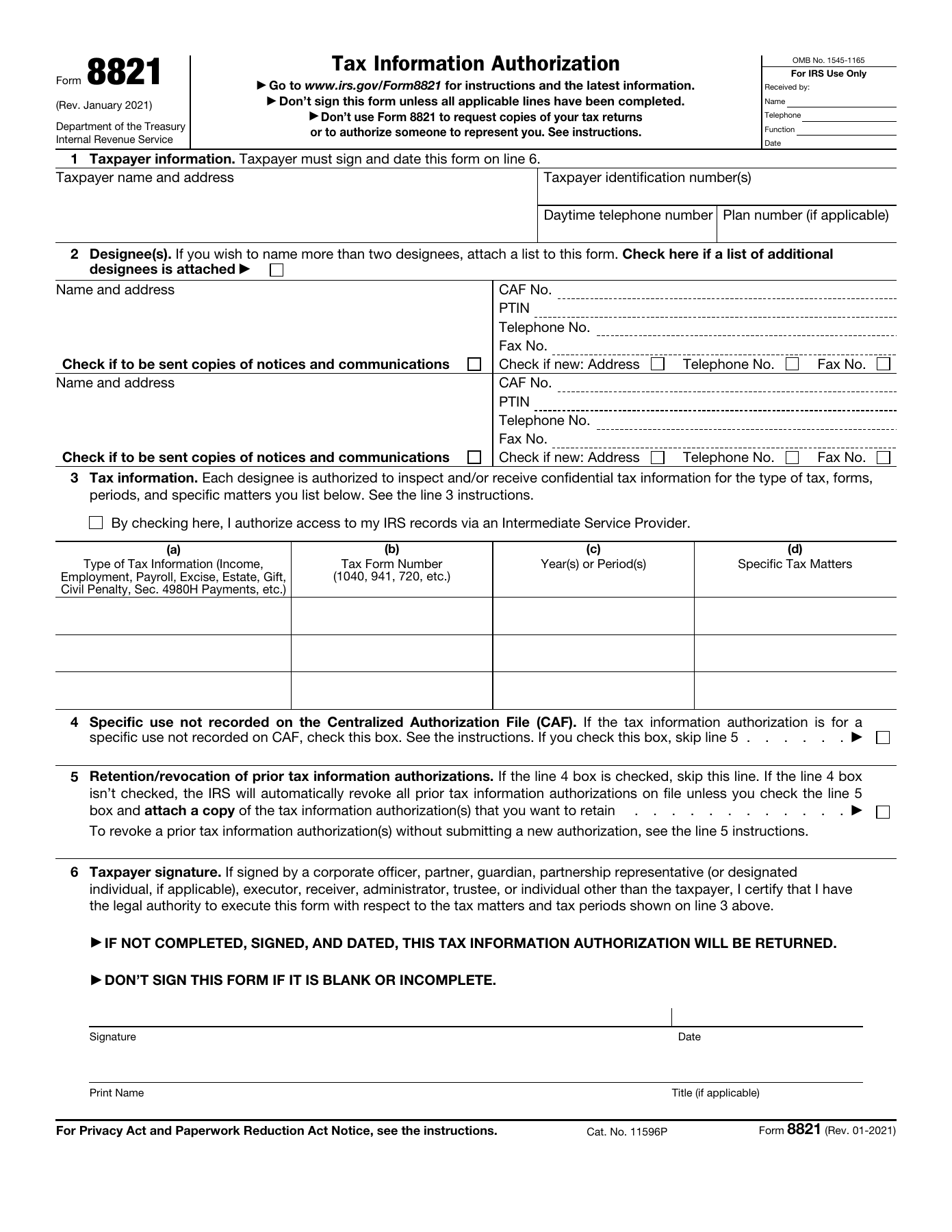
Official IRS Form 8821, revised January 2021, page 1, shown without example entries. The unchecked access box is above the four line 3 columns. The fictional worksheet supplies the example values separately. Open the original full-size IRS PDF.
Treat line 4 as a branch in the process. The IRS lists disclosure requests to loan companies or educational institutions among its specific-use examples. If that describes your purpose, read line 4 to decide which branch applies to your purpose. A specific-use authorization does not revoke prior authorizations, and line 5 is skipped.
Open your downloaded official PDF in Fylune
No built-in Fylune Form 8821 template has been verified. This guide uses the official IRS PDF uploaded by the reader.
Open your official PDF in Fylune. The public page offers Choose a PDF and documents supported form-field entry, Add text annotations and Download. Start with the PDF you downloaded from the IRS. Use supported fields for your information. If you need Add text on a static area, keep the original labels visible. Review each block beside the IRS instructions, download the copy and reopen it to check legibility and placement. The PDF filling and download-check guide covers general review steps. Read the PDF filling guide.
This walkthrough has not completed a Form 8821 upload, editing or export transaction in Fylune. Check that the official file opens and that your entries survive download before relying on the result. No form-specific AI filling, automatic SSN extraction, IRS account access or IRS submission is established here.
Core editing is free. Free PDF exports include a watermark. Clean exports have paid options. Do not assume a watermarked copy will be accepted. The Web workflow automatically saves a guest/account cloud snapshot that is server-readable. Review those terms before uploading a document with tax identifiers. The current PDF editor page explains Web storage. Fylune PDF editor.
Decide the filing route before you sign
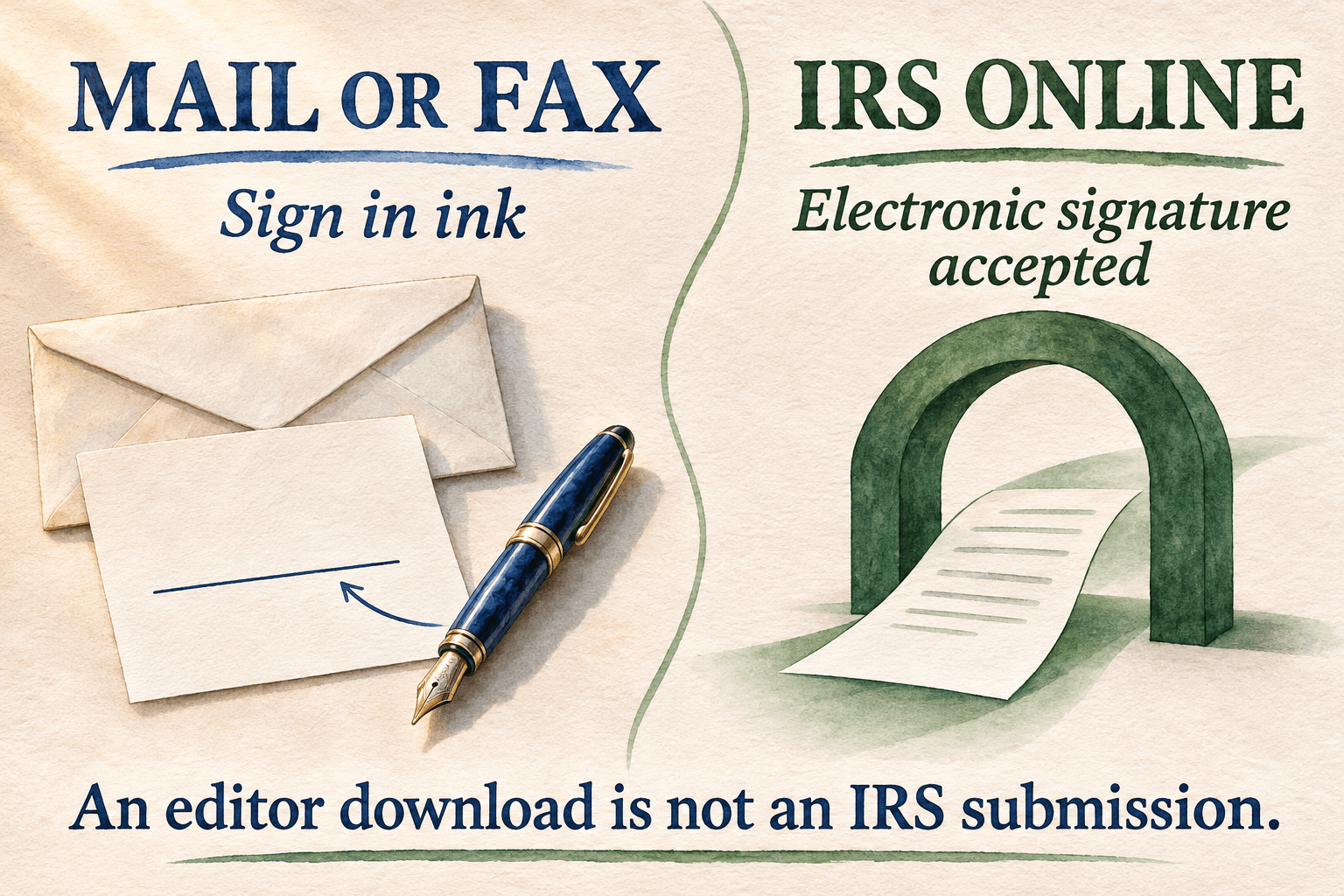
Editorial illustration of the two signature routes. Follow the IRS signature and filing requirements for your chosen route. IRS instructions.
Prepare an unsigned copy first, check every applicable line, then sign in the manner required for your route. The table follows line 6 and How To File, together with current online submission guidance. IRS instructions, IRS online submission guidance.
| Submission route | Signature requirement | Practical preparation step |
|---|---|---|
| Mail or fax | A handwritten, wet-ink signature is required. Digital, electronic and typed-font signatures are not valid for these routes. | Review the completed unsigned copy, print it and personally sign and date it in ink before mailing or faxing. |
| IRS online submission | The IRS accepts the electronic signature methods listed in its instructions, as well as ink-signed forms. Electronically signed Forms 8821 must be submitted online. | Follow the IRS online account, completion and applicable identity-authentication requirements. A mark added to a PDF does not complete those steps. |
Printing an electronic signature image does not turn it into a handwritten signature. Likewise, a visible signature made in a PDF editor does not verify the signer's identity or authority.
The current IRS online guidance requires third-party identity authentication when both conditions apply. The submitter has no personal or business relationship with the taxpayer, and the taxpayer electronically signs remotely. That process includes inspecting identification, recording the required identifying details and verifying them through secondary documentation. The IRS instructions also describe the personal-knowledge exception. Follow the applicable IRS process. Adding a signature in Fylune does not perform that authentication.
Check the authorization, then follow IRS submission instructions
Before signing or sending, compare the final copy with the official form and instructions for IRS Form 8821. Official form, IRS instructions.
- Line 1 identifies the taxpayer, and line 2 identifies the designee. Names, TIN and requested details are accurate.
- Line 3 states the intended tax information, related form and precise years or periods. Any limitation in column (d) matches your intent.
- Notice copies and Intermediate Service Provider access reflect separate, deliberate decisions.
- Line 4 matches the actual purpose. If checked, line 5 is skipped and the specific-use filing directions apply.
- Any prior authorizations you intend to retain have the required copies attached and line 5 selection.
- All applicable lines are complete, and the signature and date fit the chosen submission method.
If line 4 is checked, mail or fax the authorization to the IRS office handling the specific matter. Otherwise, follow the applicable IRS online route or the current Where To File Chart for mail or fax. There is no single address or fax number for every reader. Get the destination from How To File and Where To File, and check the form hub for updates.
The 120-day receipt rule has a specific scope. For disclosure for a purpose other than addressing or resolving a tax matter with the IRS, such as lender income verification, the IRS must receive Form 8821 within 120 days of the taxpayer's signature date. That requirement does not apply to an authorization for assistance with an IRS tax matter. See When To File.
Submit outside Fylune. A saved or downloaded PDF is not proof that the IRS received the form, recorded authority on CAF or accepted it. For online submissions, the IRS sends a receipt email and says it does not send a notification when processing is finished. Follow the IRS submission guidance for the next step.
Questions about filling this form
Whose information goes on line 1?
Enter the taxpayer's own name, TIN and street address. In this fictional example, Alex belongs on line 1 and Jordan on line 2. See the line 1 instructions.
Which form number goes in line 3?
Column (b) identifies the tax form whose information you are authorizing. For Alex's income-tax example, enter 1040. Do not enter 8821 just because that is the authorization you are filling out. See line 3, columns (a)-(c).
Can one authorization cover both spouses?
Each spouse must execute a separate Form 8821 to designate a designee for a joint return. See the line 1 and line 6 individual instructions.
Can I type a signature for a mailed or faxed form?
Mail and fax require a handwritten signature. A typed name or electronic signature image in the PDF is not valid for mail or fax. Electronically signed forms must use the IRS online route. See line 6 and the current online signature guidance.
Is this a built-in Fylune template?
No built-in Fylune Form 8821 template has been verified. Download the official IRS PDF, then use the Fylune PDF upload entry if its supported editing workflow meets your needs. Review and submission remain your responsibility.
Sources
- Page 1 supplies the form blocks, permissions and completion warning. IRS Form 8821, revised January 2021.
- Purpose, lines 1-6, filing routes and the qualified 120-day rule. IRS Instructions for Form 8821, revised September 2021.
- Current revision links and recent developments. IRS About Form 8821.
- Submission, signature and identity-authentication requirements. IRS Submit Forms 2848 and 8821 online.
- Upload entry, supported editing and Web storage terms. Fylune free PDF editor.
IRS sources checked November 15, 2026. The IRS instructions govern the authorization and submission requirements.